
D-U-N-S Number for Apple Developer Account: Complete Guide (2026)
If you are registering a company to publish iPhone or iPad apps, you have probably encountered one important requirement: a D-U-N-S Number for Apple Developer Account enrollment. The number is part of the process Apple uses to check a business’s identity and legal status before allowing it to enroll as an organization. Yet developers often confuse a D-U-N-S Number with a tax number, business license, Apple Account, or instant approval code.
This guide explains what the number actually does, who needs one, how to look up an existing business record, how to request a number when necessary, what Apple checks, and what to do when your information does not match. We will also distinguish Apple’s official enrollment charge from the package prices advertised by BuyiOSDeveloperAccount.com, so business owners can make informed decisions without confusing third-party service costs with Apple’s own requirements.
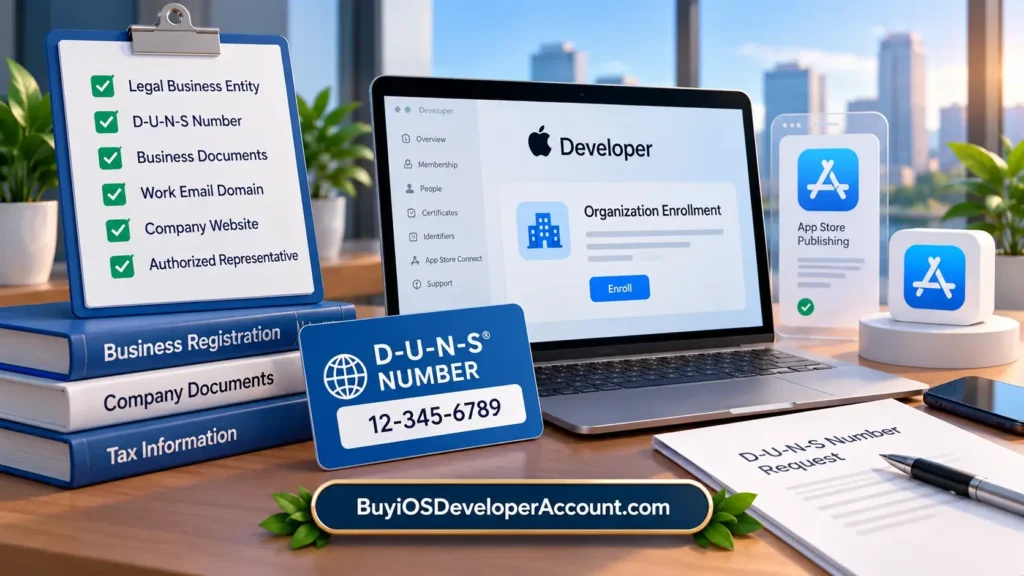
Quick answer: A D-U-N-S Number is a nine-digit business identifier issued by Dun & Bradstreet (D&B). Apple normally requires it when an eligible legal entity enrolls in the Apple Developer Program as an organization. Individual applicants do not need a D-U-N-S Number, and Apple says it is optional for government organizations. A D-U-N-S Number is not the same thing as Apple Developer Program membership or proof that your enrollment has already been approved. Source: Apple’s D-U-N-S guidance.
What Is a D-U-N-S Number?
D-U-N-S stands for Data Universal Numbering System. The identifier is assigned and maintained by Dun & Bradstreet, which maintains business information for organizations around the world. The number contains nine digits and identifies an organization on a location-specific basis. Businesses may already have a D-U-N-S record even if the founders have never knowingly requested one.
For Apple Developer organization enrollment, the number provides a way to connect the information supplied by the applicant with information about the legal business entity. It helps Apple verify that the organization exists and meets the legal-entity requirement, and it may help confirm identity and address information.
However, a number alone does not tell Apple everything it needs. Apple also considers the applicant’s authority to sign agreements, contact details, website, and potentially supporting business documents. If the D&B record is inconsistent with the actual registration, simply typing the nine digits into a form may not solve the problem.
A D-U-N-S Number is not a business registration certificate
Business registration establishes an organization under applicable local law. A D-U-N-S Number is a business identifier maintained by a separate company. A registered business may need to correct or obtain its D&B record, and a business with a D-U-N-S Number does not automatically qualify as the type of legal entity Apple accepts.
For example, some sole proprietorships may have D&B records but still need to enroll in Apple’s Developer Program as individuals. Apple’s organization enrollment rules do not accept a trading name, fictional business name, or company branch in place of the eligible legal entity. Always identify the actual party entering into Apple’s agreements.
Why Does Apple Require a D-U-N-S Number for Organizations?
Apple uses D-U-N-S information as part of its organization-verification process. When a registered company enrolls, Apple needs to know whether the applicant is acting for a real eligible organization rather than simply choosing a commercial-sounding name. The company name associated with a successful organization membership is also the name that appears as the App Store seller for its apps.
This requirement supports consistency in business identity and accountability. It does not mean a D&B profile is a guarantee of security, app quality, commercial success, or future App Store approval. Those are separate matters. Apple’s App Review process applies to apps after developers prepare and submit them, and a valid membership does not bypass review.
A business with the right D-U-N-S record can prepare a more orderly enrollment by matching its legal name, address, business website, and authorized representative information before starting the application. That consistency matters much more than choosing a service that promises unusually fast approval.
Who Needs a DUNS Number Apple Developer Account?
The requirement depends on which entity enrolls, not on whether an app is commercial or whether a freelancer works with multiple clients.
| Applicant or membership situation | D-U-N-S requirement | What to know |
|---|---|---|
| Individual developer | Not required | Enroll using the individual’s proper legal identity |
| Eligible sole proprietor / single-person business enrolling as an individual | Not required for individual enrollment | Do not confuse a trade name with an eligible organization |
| Registered company enrolling as an organization | Normally required | Must correspond to the eligible legal entity |
| Eligible educational institution enrolling as an organization | Required under Apple’s D-U-N-S guidance | Verify the institution’s qualifying entity details |
| Government organization | Optional under Apple’s D-U-N-S guidance | Other identity and authorization checks may still apply |
| App development agency using a client’s existing team | Depends on which legal entity enrolls | Team access is not the same thing as ownership of a membership |
These distinctions follow Apple’s official D-U-N-S Number help and organization enrollment requirements. If your organization’s classification is unusual, review the current Apple guidance and contact Apple Developer Support rather than assuming an exception applies.
Individual vs organization: the seller-name decision
An individual membership ordinarily displays the person’s legal name as the App Store seller. An organization membership displays the organization’s legal entity name. This may be important to a startup seeking continuity when employees or contractors change, but creating an organization membership requires a legitimate, eligible company and appropriate authorization.
Read our separate guide to company Apple Developer Account requirements in 2026 to understand business email, website, signing authority, and other rules alongside D-U-N-S verification.
Check Whether Your Company Already Has a D-U-N-S Number
Always start with a lookup, not a new request. Apple directs businesses to look for an existing D&B record before asking for a new number. Some companies have already been assigned an identifier through earlier business interactions or administrative processes.
Follow this practical checklist:
- Open Apple’s D-U-N-S Number help and use the linked D-U-N-S lookup/request process.
- Search using the exact legal entity name from your business registration rather than only your brand or storefront name.
- Provide the registered headquarters address, mailing address, and work contact details as requested.
- Review any matching result carefully, including address and legal status, before assuming it refers to your company.
- Keep a secure record of the number associated with the correct legal entity and location.
If you find a near match with an outdated address or business name, do not create a duplicate as a workaround. Check the record and request corrections from D&B. Accurate existing information is generally more useful than a second inconsistent entry.
Use your company’s legal name, not just its website brand
A company can operate under a marketing brand that differs from its registered legal name. Apple’s enrollment process is concerned with the legal entity. For example, the public name of an app studio might not be identical to the corporate name printed on its official registration. A mismatch can lead to verification questions, particularly when the name in the Apple application differs from the D&B record.
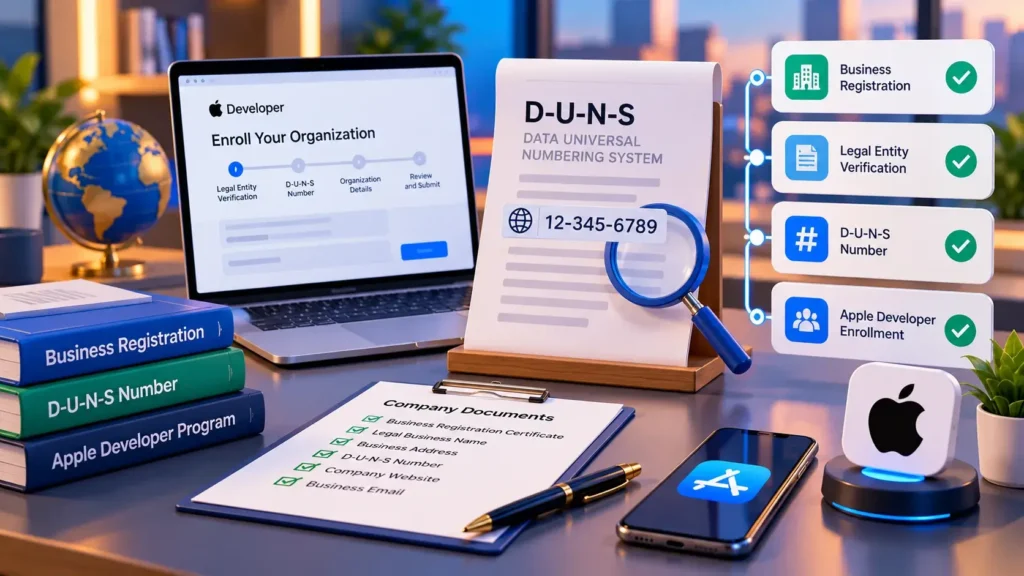
A simple pre-enrollment document can help: record the legal entity name, registered address, D-U-N-S Number, website domain, organizational contact phone, and name of the authorized applicant. Compare each item against authoritative records before you begin.
How to Request a D-U-N-S Number for Apple Developer Enrollment
If the lookup does not show your company, Apple’s enrollment guidance provides a way to submit the organization’s details to Dun & Bradstreet. Apple says requesting a D-U-N-S Number through this process is free in most jurisdictions. Do not assume a third party must charge you for the number itself or that paying for a premium expedited service will accelerate Apple’s records update.
Step 1: Confirm your business has legal entity status
Make sure you are enrolling the legal company or other accepted organization. A brand name alone, a website, or a social media page does not create the legal standing required for organization membership. If your business is still being incorporated, complete the necessary company-registration process before treating organization enrollment as ready.
Step 2: Prepare accurate organization details
Apple says the lookup/request flow can ask for your legal entity name, headquarters address, mailing address, and work contact information. D&B may also ask about your business type, employee count, or documentation during verification. Have official business registration documents available in case they are requested.
Step 3: Search the D&B record through Apple’s guidance
Follow the current lookup link from Apple’s own D-U-N-S help page. Search thoroughly and verify the result before submitting a request. This helps avoid duplicate business identities and wasted time correcting inconsistent records later.
Step 4: Submit a new request if no suitable record exists
If the lookup does not identify your eligible company, follow the option to request a number and enter the details exactly as they appear in your records. Check capitalization, abbreviations, street information, legal suffixes, and contact email. A minor formatting difference may be harmless, but a substantially different legal name or address deserves attention.
Step 5: Respond to Dun & Bradstreet verification
A D&B representative may contact your organization to request clarification. Use an email address and phone number that you actively monitor. Answer truthfully, supply requested supporting documents, and keep copies of your correspondence and submission confirmation.
Step 6: Allow time for Apple to receive the record
Apple’s current D-U-N-S page advises allowing up to five business days for D&B to provide the number after a request. Once received, allow up to two additional business days for the information to reach Apple. These are published processing guidelines, not a guaranteed approval date for the membership itself. Apple also says paying to expedite D-U-N-S creation will not shorten the stated waiting period.
Step 7: Begin Apple Developer organization enrollment
Once the company information is available to Apple, proceed through the official enrollment instructions. Use the legal entity name, corresponding D-U-N-S Number, company-associated work email, publicly available functional website, and an applicant with the authority to enter legal agreements. Apple may still perform additional verification and request documents.
How Long Does D-U-N-S Verification Take in 2026?
The timeline involves several different events. Keeping them separate helps avoid assuming that a number’s assignment guarantees immediate program activation.
| Process | Apple’s published guidance | What happens next |
|---|---|---|
| Existing D-U-N-S lookup | No fixed universal turnaround stated | Check whether record details are accurate |
| Newly requested D-U-N-S Number | Allow up to 5 business days | D&B may ask for verification information |
| D&B information reaching Apple | Allow up to 2 business days after receiving the number | Organization can proceed with enrollment once information is available |
| Apple organization verification | Varies; no universal guarantee | Apple may contact the applicant or request supporting documents |
| Membership purchase and activation | After eligible verification and agreements | Pay the applicable Apple Developer Program fee |
If your D-U-N-S request has taken longer than two weeks, Apple’s instructions say to email D&B. If business details have been updated in D&B’s records, allow up to two business days for revised information to reach Apple, according to the same official help page. The most reliable source for changes is Apple’s D-U-N-S documentation.
Avoid advertising guaranteed same-day company approval based solely on D-U-N-S availability. The number, legal entity eligibility, Account Holder authorization, and Apple membership review are distinct steps.
Organization Enrollment Requirements Beyond D-U-N-S
Business owners sometimes spend so much effort obtaining the number that they overlook the rest of Apple’s enrollment checklist. A correct identifier is important, but it is only one part of the application.
An eligible legal entity
The applicant must be a legally recognized entity able to enter agreements with Apple. Apple’s guidance excludes DBAs, fictitious businesses, trade names, and branches as substitute organization identities. If a brand operates through a legal corporation or limited liability company, that legal entity is the one to evaluate for enrollment.
An authorized representative
The person enrolling must have authority to bind the organization to Apple’s legal agreements. Apple says this may be an owner or founder, executive, senior project lead, or another employee granted that authority. An agency can assist with preparation, but the existence of an agency contract alone does not turn that agency into the client’s Account Holder.
A company-related work email
Use an active work email address associated with the organization’s domain. A consistent company identity across contact information, website, registration, and D&B record can reduce avoidable questions.
A publicly accessible, functional website
Apple states that the organization’s website must be publicly available and functional, with a domain associated with the company. A placeholder page, registrar parking page, or bare social media profile is not an adequate replacement under its stated rules.
Supporting information when requested
Apple may request business documents and, depending on the circumstances or region, notarized copies. Do not publish sensitive verification documents on your website or provide them to unrelated parties. Submit documents only using the legitimate process and verified channels.
Common D-U-N-S Number Problems and How to Fix Them
Problem 1: Your company does not appear in the lookup
First, check the exact legal spelling, business location, and alternative formatting of the registered address. A missing search result does not prove your company is ineligible. If you cannot find a suitable record, use the legitimate new-number request path.
Problem 2: Apple says the organization is not listed as a legal entity
Apple explains that D&B may hold a different legal classification or that the entity’s status has not been verified. Confirm that the business is eligible as an organization and ask D&B to update its record using full business registration documents. If it is truly a sole proprietorship, Apple’s guidance directs you toward individual enrollment.
Problem 3: Company address or name does not match
Compare the Apple application, official company registration, and D&B record. Correct outdated details with D&B rather than entering a false address or altering your legal name to match another record. After an update, wait for information to synchronize before retrying enrollment.
Problem 4: D-U-N-S Number exists, but Apple cannot find it
Check that you have the correct nine-digit number and that the associated record belongs to the proper company and location. Newly created or updated information can take time to become visible to Apple. If the published synchronization window has passed, follow the official support instructions.
Problem 5: A consultant offers to sell you a D-U-N-S Number
A number must identify the real organization. Paying to use an unrelated company’s identifier is not a solution to verification. You may pay for legitimate document-preparation assistance, but that is separate from the identifier itself and cannot replace the requirement that the correct company be verified.
Problem 6: You received the number but cannot complete enrollment
Remember that legal signing authority, website, work email, and business identity are separate checks. Review the entire enrollment request and follow Apple’s additional-verification instructions rather than assuming D-U-N-S validation resolves every stage.
Does a D-U-N-S Number Guarantee Apple Developer Account Approval?
No. A correctly matched number can help validate the organization, but it does not create an Apple Developer membership or authorize an unrelated person to hold the account. Apple separately verifies relevant applicants and requires acceptance of the program’s agreements. Apple may request documentation or refuse an application that does not satisfy its rules.
Likewise, a number does not approve an app for the App Store. A developer must still complete the appropriate development, signing, App Store Connect, and App Review requirements before publishing. A company should treat the D-U-N-S Number as a supporting business identifier, not as an all-access publishing credential.
Another important distinction is ownership. An organization membership is associated with the enrolled eligible legal entity. Handing over someone’s Apple Account password is not the same as enrolling the recipient’s own company. Apple’s agreement restricts unauthorized account sharing and resale. Review Apple’s agreements and guidelines when evaluating any offer involving existing memberships or credentials.
D-U-N-S Number Costs vs Apple Developer Program Membership Fees
Many searches for D-U-N-S Number Apple Developer account are really pricing questions: Is the identifier free? Is Apple charging for verification? Why do third-party packages cost more than the membership itself?
Apple says that a D-U-N-S Number can be requested for free in most jurisdictions through its lookup/request process. The standard Apple Developer Program membership is a separate charge of US$99 per membership year, or local currency where available. Other services may charge their own published prices for defined assistance, but those amounts are not fees set by Apple.
For reference, BuyiOSDeveloperAccount.com has advertised the following package prices:
| Advertised package | Website-listed price | Questions to resolve before buying |
|---|---|---|
| Personal Account | $350 | Is individual enrollment in the correct person’s name, and what exactly is supplied? |
| Company Account | $850 | Who is the eligible legal entity, who handles its D-U-N-S record, and who is Account Holder? |
| Combo Package | $1,150 | What are the separate deliverables and authorized ownership arrangements for each part? |
| Apple Developer Program (official) | $99/year | Paid directly under Apple’s membership terms, subject to local pricing and eligibility |
The website prices above describe third-party advertised packages, not Apple-required charges for a D-U-N-S Number. Check the BuyiOSDeveloperAccount.com packages page for current details before ordering; package terms, included services, and prices may change. The Combo listing is $50 lower than purchasing the $350 Personal and $850 Company listings separately, but that price comparison does not mean both memberships are needed by every applicant.
If you need only a D-U-N-S Number for an eligible company, begin with the official lookup process rather than assuming the $850 Company Package is a mandatory payment. If you want additional guidance, ask a service provider to specify the permitted assistance it delivers and whether the official Apple fee is included. A higher fee does not buy an exception to Apple’s eligibility rules.
Choosing Professional Help Without Losing Control of Your Organization
A qualified advisor can help a startup organize legal entity information, understand D&B lookup results, prepare paperwork, and learn the Apple enrollment steps. That can be worthwhile when the company’s records are complicated, or the team is unfamiliar with the process. But help should be transparent, and the legitimate business should maintain control over its identity and membership.
Ask any provider whether it will enroll your own qualifying entity, what information it needs, how sensitive documents will be handled, whether it charges for assistance rather than the D-U-N-S identifier, and what happens if D&B or Apple requests corrections. Confirm fees and renewal terms in writing. Be careful with promises of instant company ownership, preverified accounts registered to strangers, or guaranteed approval irrespective of verification.
Our company account requirements article explains additional verification steps, while our Apple Developer Account price comparison breaks down official charges and the website’s advertised package rates. You can use those resources alongside Apple’s documentation to plan a legitimate setup.
Before You Enroll: Practical Business Owner Checklist
Use this short checklist before creating a company Apple Developer membership:
- Verify your organization is a real, eligible legal entity, not merely a trading name.
- Identify the authorized person who will accept Apple’s agreements.
- Look up the correct D-U-N-S record before requesting a new one.
- Ensure your legal name and company address match the official records.
- Check that your work email belongs to your company’s domain.
- Make your company website publicly accessible and genuinely functional.
- Keep registration documents ready in case D&B or Apple asks for them.
- Allow time for D&B number assignment and Apple data synchronization.
- Budget for Apple’s official membership fee separately from third-party charges.
- Avoid sharing sensitive credentials or relying on someone else’s organization identity.
This sequence helps prevent preventable administrative delays. It does not remove the need for Apple’s own review, and it does not promise any particular approval outcome.
Frequently Asked Questions About D-U-N-S Numbers and Apple Developer Accounts
1. Is a D-U-N-S Number required for an individual Apple Developer Account?
No. Apple’s official D-U-N-S guidance says individual enrollment does not require one. A business operating as an eligible sole proprietorship may also need to use individual enrollment instead of organization enrollment.
2. Is a D-U-N-S Number mandatory for a company Apple Developer Account?
For eligible organizations, Apple generally requires a D-U-N-S Number to verify the legal entity. Apple says it is optional for government organizations, which may face separate verification requirements.
3. Is getting a D-U-N-S Number free in 2026?
Apple says the request option through its lookup flow is free in most jurisdictions. This does not mean every unrelated commercial D&B product is free, so use the appropriate official path for Apple enrollment.
4. How long does it take to receive a D-U-N-S Number?
Apple’s guidance says to allow up to five business days after requesting one from D&B, and then up to two business days for Apple to receive the information. Verification issues or correction requests may make the overall process longer.
5. Can I apply for Apple Developer membership immediately after receiving the number?
Apple advises allowing up to two business days for the D&B information to reach Apple. You can prepare other enrollment details while waiting, but final verification remains Apple’s decision.
6. Does my company need a D-U-N-S Number if it already has a tax ID?
A tax identifier and a D-U-N-S Number have different purposes. A company’s tax ID does not automatically replace Apple’s normal D-U-N-S requirement for organization enrollment.
7. What if my company name is different from my brand name?
Use the proper legal entity details. Apple does not treat a DBA or informal trade name as a replacement for an eligible organization when enrolling as a company.
8. What should I do if my business is not listed as a legal entity?
Review how D&B classified your organization and supply complete registration documents for correction if appropriate. Apple’s D-U-N-S help also explains that sole proprietorships should enroll as individuals.
9. Can I use another company’s D-U-N-S Number for my developer membership?
No. Your organization enrollment must correspond to the eligible legal entity that is applying. An unrelated identifier does not make your company that entity.
10. Does Apple issue D-U-N-S Numbers?
No. Dun & Bradstreet assigns and maintains D-U-N-S Numbers. Apple uses the information during its verification process.
11. Does a D-U-N-S Number guarantee Apple approval or App Store publishing?
No. Membership enrollment has additional checks, and app submission has its own review process. The number is an identity-verification input, not a guarantee of approval.
12. How much is Apple Developer Program membership after obtaining a D-U-N-S Number?
Apple lists its standard Developer Program at US$99 per membership year, or the local equivalent where offered. Qualifying organizations may be eligible for a fee waiver, subject to Apple’s requirements.
13. What is the website’s Company Account package price?
BuyiOSDeveloperAccount.com advertises a Company Account package at $850. That is a third-party package listing, not Apple’s official D-U-N-S fee or required enrollment surcharge; confirm its current terms directly.
14. Can a service provider handle D-U-N-S verification for my business?
A provider may be able to offer legitimate guidance or documentation support, but your actual business information and the authorized Account Holder must remain accurate. The provider cannot replace the requirement that Apple verify an eligible legal entity.
Final Thoughts: Get the Correct Business Identity in Place First
A D-U-N-S Number for Apple Developer Account enrollment is an important organizational identifier, not a separate app-distribution license. For most eligible companies, the most reliable sequence is to verify legal status, find or request the correct D&B record, ensure the information matches your registration, allow synchronization time, and then complete Apple’s official organization enrollment.
Take time to distinguish Apple’s standard $99/year membership from any outside service you might consider. The $350 Personal, $850 Company, and $1,150 Combo prices advertised by BuyiOSDeveloperAccount.com are separate package offers. Ask for clear written terms, preserve control over your real business identity, and avoid assuming that existing account credentials or somebody else’s D-U-N-S Number can be used as a shortcut.
For additional background, review our Apple Developer account package options and then check the official D-U-N-S guidance from Apple before making an enrollment or purchasing decision.
Official References and Further Reading
- Apple — D-U-N-S Number: Lookup, Request and Timing
- Apple — Program Enrollment Requirements
- Apple — Become a Member: Pricing and Eligibility
- Apple — Identity Verification for Organizations
- Apple — Agreements and Guidelines
Editorial note (October 2026): This independent educational article does not imply Apple endorsement of BuyiOSDeveloperAccount.com. D-U-N-S and program requirements can change; confirm current rules directly with Apple and D&B. Illustrations depict conceptual examples, not genuine account approvals or real business identifiers.