
Is It Safe to Buy an Existing iOS Developer Account?
People searching “buy existing iOS developer account” are often trying to save time. Perhaps they want to launch an app quickly, avoid a complicated enrollment process, manage an app they recently acquired, or publish under a business name. An account advertised as “aged,” “verified,” or “ready to publish” may therefore sound attractive. But an existing Apple Developer Program membership is not an ordinary digital product that can simply change owners when someone sends a password.
Apple distinguishes between an Apple Account, a paid Developer Program membership, a legal Account Holder, invited team users, and an individual app published through App Store Connect. Each carries different rights and responsibilities. An offer may provide working credentials without providing a transfer that Apple recognizes. It may also expose a buyer to security, privacy, financial, or publishing continuity problems.
This guide explains the rules that matter in 2026, the practical risks of third-party account offers, the difference between transferring an app and transferring an account-holder role, and the questions worth asking before paying. It also compares the prices publicly listed on BuyiOSDeveloperAccount.com with Apple’s official membership fee, without presenting those third-party packages as Apple-approved transfers.
Quick answer: Buying the credentials to someone else’s existing developer membership is generally not a reliable or Apple-compliant way to gain ownership. Apple’s current Developer Program agreement restricts selling, reselling, sharing, or otherwise providing account access outside permitted arrangements. If you need to publish a new app, enrolling in your own name or eligible business’s name is usually the clearest path. If you are acquiring an existing app, Apple’s App Store Connect app-transfer workflow may be the correct solution.
What Does “Existing iOS Developer Account” Actually Mean?
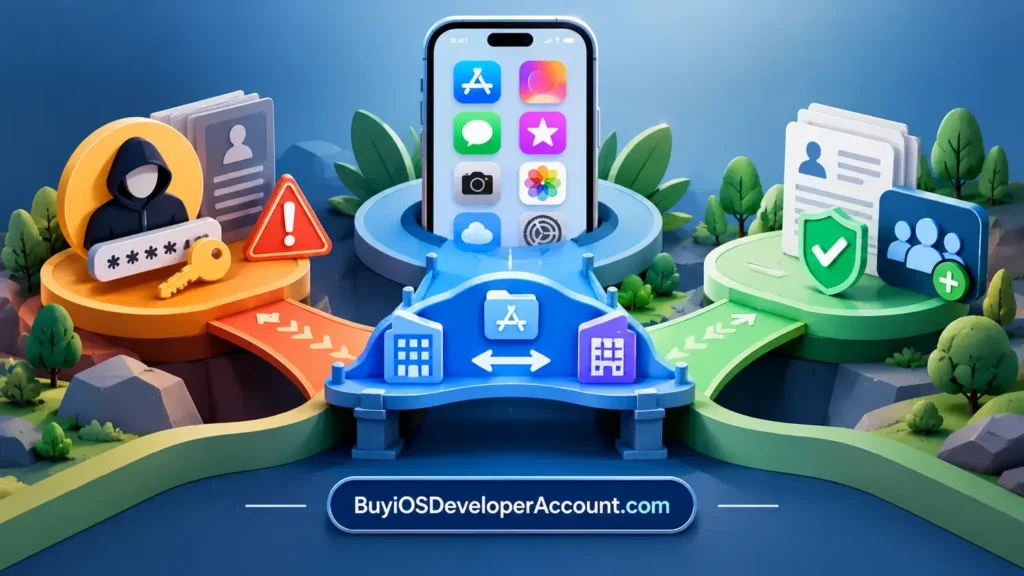
The search phrase is informal and often used to describe very different offers. One seller may mean a paid Apple Developer Program membership established months ago. Another may mean a new membership with enrollment already completed. Others may be offering an invitation to join an existing company’s App Store Connect team, or the sale of a published app itself.
These are not equivalent. An Apple Account identifies a person or organization user signing in. A Developer Program membership is governed by Apple’s program agreement and has a recognized Account Holder. App Store Connect access can be granted to authorized users with particular roles. An app transfer moves an eligible published app from one developer account to another, subject to Apple’s criteria.
Ask what the seller is actually providing before comparing cost or delivery time. The words “full access” and “full ownership” should be supported by a specific, permitted Apple workflow—not merely a promise of credentials.
Existing account, App Store Connect access, and app ownership compared
| What is offered | What it actually means | Main question |
|---|---|---|
| Existing membership login | Someone else’s Apple Account or developer-team sign-in | Does Apple permit this access or ownership change? |
| Team invitation | A role in someone else’s authorized App Store Connect or developer team | Who remains the Account Holder and controls permissions? |
| Organization Account Holder change | Transfer of responsibility inside an eligible organization | Is the new holder an authorized employee with legal authority? |
| Published app purchase | A business or software asset acquisition | Does the app qualify for Apple’s official app transfer? |
| Enrollment/setup assistance | Guidance through Apple’s registration and publishing requirements | Will membership be created under the correct person’s or company’s legal identity? |
What Apple’s Rules Say About Account Resale in 2026
Apple’s Developer Program License Agreement restricts members from sharing, selling, reselling, renting, leasing, lending, or otherwise providing access to a developer account or services to people who are not authorized members of their team, except as the agreement expressly permits. It also addresses requests for other members’ Apple Accounts and authentication credentials.
That matters even when a seller describes an account as fully verified. Verification may show that Apple previously accepted the original applicant’s information. It does not by itself show that an unrelated buyer can replace the legal Account Holder. A successful login likewise does not establish contractual authority to submit apps, change agreements, or represent the legal organization behind the membership.
Apple does document an Account Holder role transfer, but this is a controlled process. For organizations, an eligible employee with authority to bind the organization to legal agreements can receive the role. For individual memberships, Apple lists narrow exceptional situations, such as a minor reaching the age of majority or the Account Holder’s death, with Apple Developer Support involvement. Neither description is a broad marketplace mechanism for selling accounts to strangers.
Because the contract may evolve, consult the current agreement rather than relying on outdated forum posts, screenshots, or advertising claims. This article explains the rules publicly documented as of October 2026; it does not offer legal advice or guarantee any particular outcome.
Ten Risks to Consider Before You Buy an Existing iOS Developer Account
Some concerns are contractual; others are straightforward operational risks that would matter even without a rule violation. Treat an existing-account offer as a higher-diligence decision rather than as a shortcut to app approval.
1. The legal Account Holder may remain someone else
The most significant risk is confusing possession of credentials with recognized ownership. The enrollment record may still identify the person or organization that originally applied. If Apple’s verification, agreement acceptance, or renewal process depends on that identity, an unrelated buyer may have limited recourse when problems arise. Ask what Apple-recognized event changes the Account Holder, and do not accept “you will have the password” as the answer.
2. An original owner may retain recovery options
Changing a password is not the same as controlling every trusted device, phone number, recovery method, corporate identity record, and historical account relationship. If the original holder retains one or more recovery channels, your access could be interrupted. Even when a seller promises to surrender them, it may be difficult for a buyer to independently verify that all prior access has been appropriately removed. Protect yourself by using accounts and recovery methods legitimately associated with you or your organization.
3. Two-factor authentication can become a bottleneck
Apple Account two-factor authentication is designed to defend account access. Offers involving shared verification codes, borrowed devices, or a seller who must forward login approvals create dependency and security exposure. For a real developer team, each authorized member should use their own credentials and permissions. A customer who must continually ask a seller for a code does not have a resilient publishing setup.
4. Historical account activity may be unknown
An account can have a history of submissions, warnings, agreements, user roles, and operational changes. A marketplace listing rarely provides a complete and independently verified history. A buyer may discover unresolved issues only when they attempt to submit, renew, enable a capability, or contact Apple Developer Support. Do not assume that an “aged” membership means a clean record or special treatment during App Review.
5. App Review approval is never included automatically
The purpose of the Developer Program is to enable development and distribution under Apple’s rules. It is not an entitlement to publish any app without review. Content, privacy practices, functionality, intellectual property rights, and technical behavior all matter. An existing membership does not guarantee a faster review or protect an app from rejection. If a listing promises “guaranteed publishing” or “no review,” investigate carefully.
6. You may not control agreements, payments, or taxes
App Store Connect can involve agreements, tax information, banking, and financial reporting. Account Holder and role permissions differ from simple login access, and paid-app arrangements may require additional agreements. If seller and buyer identities do not match the legitimate business relationship, payment continuity and legal responsibility can become unclear. Before doing business, identify which legal person or entity signs agreements and receives revenue.
7. Subscription and renewal responsibility may be uncertain
An Apple Developer Program membership normally renews annually. A seller’s advertised one-year access does not resolve who is authorized to pay the next fee, update the payment method, accept new Apple agreements, or respond to membership questions. Ask whether your commercial purchase includes a recurring service contract and what happens if the original holder is unavailable at renewal time.
8. Team permissions can be revoked or changed
An App Store Connect user invitation is useful for legitimate collaboration, but it does not turn the invited user into the Account Holder. An organization can manage roles, app access, and development permissions under Apple’s framework. If your operational plan depends on a separate organization retaining its membership, identify who may remove users, change authorizations, or discontinue that relationship. The correct arrangement should be documented and suitable for your project.
9. An advertised seller name might not match your brand
Individual memberships generally display the individual’s legal name as the seller on the App Store. Eligible organization memberships display the legal entity’s name. Buying credentials associated with another person or company does not magically create a legitimate listing under your own brand. If you want your company’s name displayed, evaluate official organization enrollment and its verification requirements rather than assuming a company-labeled listing will transfer that identity to you.
10. Remediation after a dispute can be difficult
A seller’s refund promise may not recover an app launch date, lost access, or disruptions to a business. A payment receipt with a third party is not a substitute for Apple-recognized ownership and permissions. The safest transaction is one where the intended legal account owner, credentials, app assets, and responsibilities are clear from the beginning. Independent technical and legal review is particularly valuable when real apps, users, subscriptions, or revenue are involved.
Buying an Existing iOS Developer Account vs Buying an App
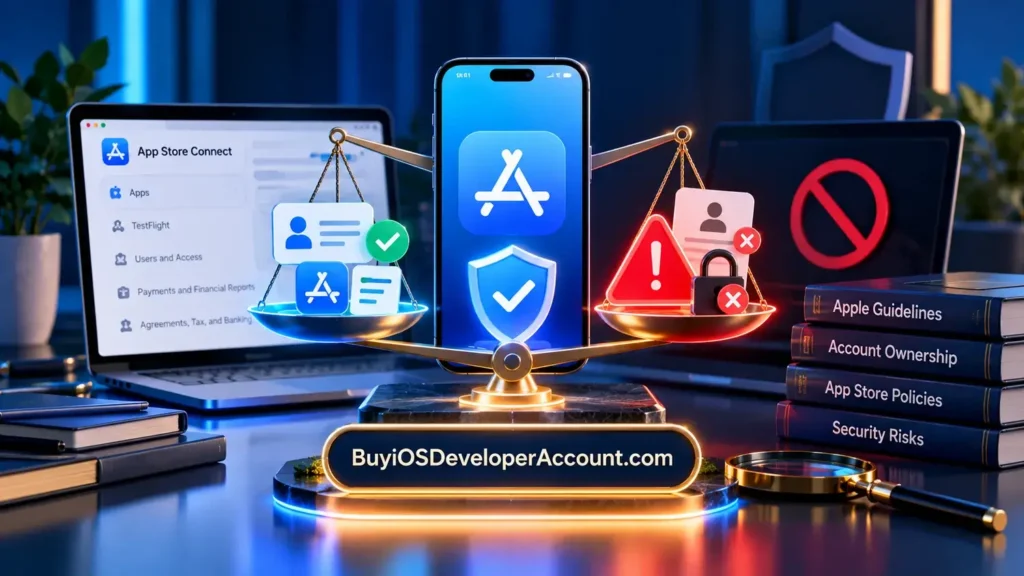
There is an important legitimate use case behind some searches for “buy existing iOS developer account”: acquiring a software business that already has an app on the App Store. Apple has a specific App Store Connect app-transfer process for transferring eligible apps between developers or organizations.
According to Apple, a qualifying app may remain available on the App Store through the transfer, while its ratings and reviews continue and users can still receive updates. The app retains its Bundle ID. However, eligibility requirements and technical implications need careful review; not every app or account state qualifies at every moment.
A published app transfer is not the transfer of the seller’s Apple Account password. The seller’s Account Holder initiates the process and the receiving Account Holder accepts it in App Store Connect. Each party operates through its own legitimate developer membership. This is often a better structure for a company acquisition than attempting to move an entire membership by exchanging credentials.
Basic steps for an eligible app transfer
- Confirm the app is eligible. Use Apple’s current transfer criteria, including account agreement status, released-version requirements, and relevant app statuses.
- Prepare the receiving account. The acquirer should have a legitimate membership and a person authorized to act as the receiving Account Holder.
- Audit technology and contracts. Review the source code, intellectual-property assignments, analytics, subscriptions, third-party services, and user-data responsibilities.
- Back up important records. Apple advises the transferor to preserve relevant app information and reports for future reference.
- Initiate the transfer. The seller’s Account Holder uses the App Information area of App Store Connect to start the official request.
- Accept the request. The receiving Account Holder completes the acceptance steps and checks metadata, support URLs, and privacy information.
- Reconfigure dependent services. Review provisioning profiles, push notifications, Sign in with Apple, Apple Pay, subscriptions, Xcode Cloud, and other capabilities as applicable.
Apple’s detailed documentation explains additional conditions, technical exceptions, and required changes. Do not promise a seamless transfer for every app without inspecting its specific capabilities.
Can You Transfer an Apple Developer Account Holder Role?
Yes, in clearly defined situations, but this is different from selling a membership in a public marketplace. For an organization, the current Account Holder may select an eligible employee on the developer team who has legal authority to bind the organization. Apple’s process includes acceptance steps and may require identity verification. The purpose is continuity of the same legal organization’s membership.
Individual membership transfers are much more constrained. Apple’s published examples include a qualifying former minor reaching adulthood or the death of the Account Holder; Apple Developer Support assistance is required. An individual seller’s statement that they can make any unrelated buyer the new holder is not supported by those general rules.
If your company is changing staff or restructuring, use Apple’s current Account Holder guidance rather than inventing a private handover process. When the legal entity itself changes, assess the facts with Apple Developer Support and qualified advisers instead of assuming an ordinary team-role change is sufficient.
Individual vs Company Membership: Does It Change the Risk?
Both official membership types are governed by Apple’s terms, but they serve different ownership models. An individual enrolls using their legal personal identity. An organization is an eligible legal entity and has an authorized representative who can bind it to agreements. Apple also documents distinctions between development-team membership and access provided to App Store Connect users.
An organization membership can be useful for a registered business with employees and collaborators. That benefit does not make an unrelated company’s existing credentials freely transferable. Similarly, the simplicity of an individual membership does not authorize a seller to hand it to a buyer. If you plan to publish under your own brand, choosing the right original enrollment type is more dependable than trying to retrofit ownership later.
Existing iOS Developer Account Buyer Due-Diligence Checklist
Before any payment to a third-party provider, request a written explanation covering the following points. A responsible provider should be willing to discuss limitations and confirm what is and is not included.
- Identity: Who is the legal Account Holder recorded with Apple, and which legal person or entity is the App Store seller?
- Permitted workflow: Is the arrangement official enrollment assistance, an authorized role invitation, an eligible organization role change, or an app transfer?
- Agreement compliance: How does the proposed access comply with the current Apple Developer Program License Agreement?
- Access boundaries: Which user role is provided, and can the buyer perform the tasks required for their app?
- Recovery: Who controls trusted devices, recovery methods, the Apple Account, and authentication credentials?
- Membership status: What can be verified about renewal, agreements, current roles, and any outstanding account questions?
- App history: If an app is included, are its source code, intellectual-property rights, subscriptions, services, and transfer criteria documented?
- Price: What is the Apple’s official membership fee, what are the third-party charges, and what renewals or support fees may follow?
- Support: Will the provider assist with legitimate enrollment, App Store Connect onboarding, and troubleshooting without taking unauthorized control?
- Dispute terms: What happens if Apple declines the proposed process or the promised access cannot be provided in a permitted way?
If several answers remain vague or depend only on a shared password, do not treat the offer as a completed or safe purchase. Consider whether you need to purchase an account at all; often the actual goal is getting a new membership set up correctly or acquiring a specific app.
Official Apple Membership Fee vs Third-Party Prices in 2026
Apple’s standard Developer Program membership is US$99 per membership year, or local currency where available; pricing can vary by region. This is the official membership amount for eligible individual and organization applicants. It is different from the amount charged by a third party for a package, account-related offer, or professional assistance.
As checked on October 16, 2026, the public BuyiOSDeveloperAccount.com Packages page displays these prices:
| Advertised website package | Listed price | Notes |
|---|---|---|
| Personal Account | $350 | Website advertises a verified account, one-year term, credentials, and support |
| Company Account | $850 | Website advertises a verified company account, team access, D-U-N-S handling, and support |
| Combo Package | $1,150 | Website advertises both account types together, a $50 saving against separate listed prices |
Those descriptions are the website’s marketing claims, not independent confirmation that the offers are transferable or authorized by Apple. In particular, the page’s statements about instant delivery, a mailbox and password, and “full ownership” require careful clarification against Apple’s account-holder and access rules. Consumers should ask whether the official fee is included, who holds the membership, exactly what the third party performs, and what happens if Apple does not permit the proposed arrangement.
The site may provide useful educational or setup assistance, but no commercial package by itself should be presented as Apple approval or as an exemption from program restrictions. For comparison, a developer who qualifies for ordinary individual enrollment can often begin with the $99 annual membership and pay separately only for a service that adds genuine value.
Safer Alternatives to Buying Someone Else’s Existing Account
Enroll yourself as an individual
For an independent creator publishing under a personal legal name, official enrollment is often the simplest route. Use an Apple Account you control, enable two-factor authentication, provide your accurate identity information, review the relevant terms, and pay Apple’s fee. Your enrollment and renewal remain associated with the proper person instead of an unrelated seller. See Apple’s enrollment guide.
Enroll an eligible legal organization
If you have a registered business and want its legal name shown as the App Store seller, organization enrollment may be more appropriate. Apple generally requires business verification, which can include a D-U-N-S Number except for specified categories such as government entities, a domain-associated work email, a functional website, and proof that the person enrolling has the authority to bind the organization to legal agreements. See Apple’s membership enrollment details.
Invite a legitimate agency or contractor
If the real problem is collaboration, the correct answer may be user and team permissions. Authorized developers or service providers can be granted access appropriate to their role without taking control of the Account Holder’s private sign-in. Scope permissions to the necessary apps and functions, review them periodically, and remove access at the end of a project. See Apple’s roles and access documentation.
Transfer an app through App Store Connect
When purchasing a published app or a software company asset, the official app-transfer flow may be available. This can preserve the app’s public presence while moving it into the buyer’s legitimate account, subject to the criteria and technical requirements already discussed. Structure the purchase agreement around intellectual property, app assets, data protection, and acceptance of the transfer—not around sending the seller’s Apple Account password.
Pay for transparent professional guidance
Third-party help can be worthwhile for documentation preparation, explaining eligible membership types, App Store Connect role setup, TestFlight readiness, and submission planning. Define the service in writing and preserve your legal ownership and authentication controls. A provider should not have to guarantee a shortcut around Apple’s verification or access rules to deliver useful assistance.

Five Realistic Scenarios and the Better Route
Scenario 1: You are building your first app alone. You do not own a company and want to publish under your name. Official individual enrollment is usually more appropriate than buying a stranger’s account. Consider paid help only if there is a specific requirement you cannot manage yourself.
Scenario 2: Your startup wants its company name on the App Store. Prepare the legal entity and complete organization enrollment. An account that belongs to another company’s legal identity does not automatically become yours because you paid for it.
Scenario 3: Your agency manages apps for several clients. Ideally each client has the correct membership ownership, and your agency receives authorized access to perform development and publishing tasks. Document roles, contracts, and account continuity so a client can change agencies without losing control.
Scenario 4: You are purchasing a published app from another developer. Investigate the app’s eligibility for an official transfer. Review source-code rights, user data, subscriptions and supporting services. This is closer to a recognized asset purchase than buying login credentials.
Scenario 5: A manager leaves your existing organization. If the organization’s Account Holder is changing, use Apple’s organization Account Holder role transfer guidance with an eligible replacement who has legal authority. That does not require selling the company’s membership to an outside stranger.
Common Red Flags in “Verified Existing Account” Offers
Be especially cautious about listings that promise guaranteed App Store approval; refuse to disclose the legal Account Holder; claim that age alone guarantees trust; ask you to bypass two-factor authentication; provide only a password as “ownership proof”; avoid written terms; demand urgent untraceable payment; promise a company seller name without a legitimate company; or confuse the official app-transfer process with giving away an Apple Account.
No single marketing phrase confirms that a membership is safe or transferable. The relevant questions concern legal ownership, Apple’s permitted workflows, ongoing access, and continuity. The same principles apply whether a listing is described as a “fresh account,” an “aged account,” a “verified organization account,” or a “ready-to-upload account.”
Frequently Asked Questions
Is it safe to buy an existing iOS developer account in 2026?
Purchasing another person’s credentials is generally not a dependable or permitted ownership route under Apple’s published program agreement. The better option depends on your goal: legitimate enrollment for a new project, authorized team access for collaboration, or an official app transfer when buying an eligible published app.
Does an existing developer account publish apps faster?
No provider can guarantee that a membership’s age speeds App Review. Apps still must meet Apple’s current technical, privacy, content, and policy requirements. Enrollment time and app review time are separate issues.
Can I change the email and password and become the legal owner?
Not necessarily. Controlling a login does not independently change the Apple-recognized Account Holder or the legal entity behind an organization membership. Official role transfer rules are narrower than a simple credential change.
Can Apple Developer accounts be sold to unrelated buyers?
Apple’s current Developer Program License Agreement restricts selling, reselling, or sharing access outside permitted team arrangements. Consult the full agreement and Apple Developer Support for your specific circumstances.
Can I buy an existing app instead of its account?
A genuine purchase of an app may be possible, and Apple provides an App Store Connect process for transferring eligible apps between developer accounts. The buyer should have an appropriate membership and complete technical, contractual, and privacy due diligence.
Can I transfer an individual membership to another person?
Apple documents limited individual Account Holder transfer situations, including when a former minor reaches adulthood or when the Account Holder has died. Those do not establish an ordinary resale process.
Can an organization change its Account Holder?
Yes, under Apple’s criteria. The replacement must be an eligible member with authority to bind the same organization to legal agreements. The current Account Holder follows Apple’s documented workflow.
Is Apple’s official developer membership price $99?
The standard annual Apple Developer Program fee is normally US$99 per membership year, or an available local-currency amount that may vary by region. This is separate from third-party service or package charges.
Why do third-party websites advertise $350, $850, or $1,150?
Those are the publicly displayed package prices at BuyiOSDeveloperAccount.com, not Apple’s standard membership fees. Ask what each package includes and whether its account access and ownership claims comply with Apple’s rules.
Do I need a D-U-N-S Number for an individual account?
Generally no. A D-U-N-S Number is an organization verification requirement for eligible legal entities, subject to Apple’s published exceptions. Individual enrollment follows personal verification requirements.
Can an agency publish an app in my account without my password?
Authorized team members and App Store Connect users can receive permissions appropriate to their work. Details differ for individual and organization memberships. Prefer role-based permissions over shared private sign-in credentials.
What happens if an app does not meet Apple’s transfer criteria?
The parties should resolve the eligibility issue if possible and otherwise choose a different legitimate plan. Do not assume a password handover fixes an app-transfer restriction. Consult Apple’s current documentation and, where needed, Apple Developer Support.
Final Verdict: Buy the Right Outcome, Not Just a Login
If your search began with “buy existing iOS developer account,” define your real goal first. Do you need a new membership under your identity, a company-branded publishing presence, authorized access for a contractor, or ownership of a published app? Each has a more precise workflow than simply buying an existing password.
Apple’s published terms place clear limits on account access and resale, while its role-management and app-transfer tools offer legitimate solutions to common business needs. A buyer should review the exact legal owner, permitted permissions, technical requirements, renewal obligations, pricing, and support before spending money. For those comparing third-party offers, explore BuyiOSDeveloperAccount.com packages and request a written description of the account ownership and Apple-compliant delivery process before making any decision.
Bottom line: A properly controlled developer membership or eligible transferred app is worth more than a fast login with uncertain ownership. Choose a method that will still work when your app needs its next update, annual renewal, or security review.
Official References
- Apple Developer Program License Agreement — account access and contractual limits.
- Apple Developer Account Holder Role Transfer — organization and limited individual transfer cases.
- App Store Connect: Overview of App Transfer — transferring published app ownership.
- App Store Connect: App Transfer Criteria — eligibility before initiating a transfer.
- Apple Developer Program Enrollment — eligibility, identity verification, and official annual fee.
- Apple Developer Roles and Access — authorized team and App Store Connect access.
Editorial note: This guide explains publicly documented rules as of October 16, 2026. The illustrations are conceptual and are not evidence of Apple endorsement, approval or an actual account transfer.