
Company Apple Developer Account Requirements in 2026: Complete Enrollment Guide
Planning to release an iPhone or iPad app under your business name? Before applying for a company Apple Developer account, you should understand what Apple expects from an organization, what documents may be required, how identity verification works, and what the membership actually costs. Preparing these details early can prevent delays and help you build an app-publishing workflow your business can manage for years.
A company Apple Developer account is an organization enrollment in the Apple Developer Program. Unlike an individual enrollment, it lets an eligible legal entity appear as the App Store seller and supports a broader developer-team structure. However, simply owning a domain, using a brand name, or buying an account login does not automatically establish that your business qualifies.
This updated 2026 guide explains the company Apple Developer account requirements, including legal entity status, a D-U-N-S Number, signing authority, business email, website, possible verification documents, enrollment steps, pricing, security, and common mistakes. It also distinguishes Apple’s official membership fee from third-party packages advertised by BuyiOSDeveloperAccount.com.
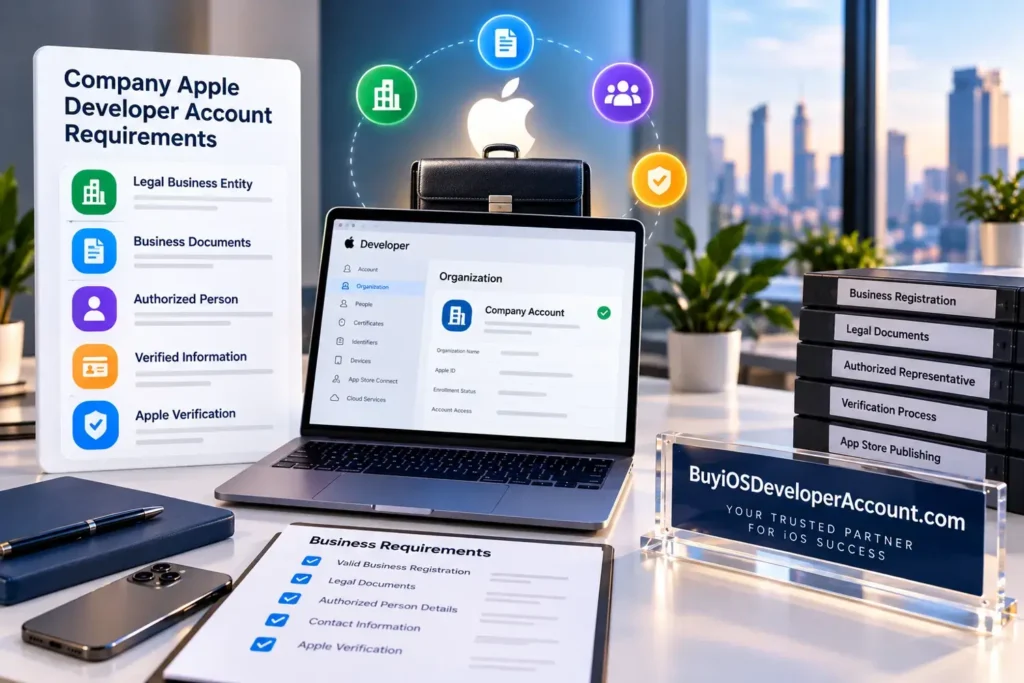
Quick answer: A qualifying organization generally needs a recognized legal entity, a D-U-N-S Number (government organizations are exempt from this requirement), an authorized representative, a domain-associated work email, a functional company website, and an Apple Account protected by two-factor authentication. Apple may request additional business documents. The standard Apple Developer Program membership is US$99 per year, or a local-currency price where available. See Apple’s official enrollment requirements.
What Is a Company Apple Developer Account?
A company Apple Developer account is an Apple Developer Program membership enrolled under an eligible organization rather than an individual. Apple describes this category as Organization enrollment. Companies, certain partnerships, nonprofit entities, and other eligible legal organizations may qualify when they meet Apple’s current verification requirements.
When the organization publishes an eligible app on the App Store, the organization’s legal entity name appears as the seller. This is useful for a business that wants customers to associate its apps with a registered company rather than a founder’s personal name. It also supports authorized developer team members who can work on signing, capabilities, builds, testing, and distribution within Apple’s permissions system.
An organization membership does not guarantee that an app will pass App Review, and it does not establish that a third-party service is an authorized Apple reseller. The membership belongs to the enrolling legal entity under Apple’s agreements. The organization should remain in control of its Account Holder, authentication, legal records, and renewal decisions.
Company account versus individual account
Both official enrollment types normally have the same Apple Developer Program annual membership fee. The major differences concern legal seller identity, organizational verification, and the scope of team resources. An individual enrollment typically shows the person’s legal name as the seller. An organization enrollment shows the legal entity’s name. Individuals can also invite additional users to App Store Connect, but those users do not receive the broader membership resources available to an organization developer team.
| Feature | Individual enrollment | Company/organization enrollment |
|---|---|---|
| App Store seller name | Individual’s legal name | Verified organization’s legal name |
| Legal entity required | No qualifying company required | Yes |
| D-U-N-S Number | Not ordinarily required | Generally required; government exemption |
| Work email and business website | Not organizational enrollment requirements | Required by Apple’s organization guidance |
| Team collaboration | App Store Connect users with limited scope | Organization developer-team roles and resources |
| Standard Apple membership fee | US$99/year | US$99/year |
If you are still deciding between account types, compare the individual and organization options before enrollment. This guide focuses specifically on organization verification requirements rather than repeating a general account comparison.
Company Apple Developer Account Requirements: Complete Checklist
Apple verifies the legal business and the person who is authorized to enroll it. Prepare the items below before you begin; exact supporting documents can vary by location and circumstance.
1. A legally recognized business entity
Apple requires the organization to be a legal entity able to enter contractual agreements. A registered corporation, limited liability company, or another recognized entity may meet that condition, depending on the jurisdiction. A mere trade name, DBA, fictitious business name, or branch is not accepted as a substitute for the legal entity.
The legal name in your enrollment should match the relevant official registration and D-U-N-S record. If a company’s brand is different from its registered legal name, don’t insert the marketing brand in place of the legal entity. Apple uses the verified legal entity name for the App Store seller listing.
Preparation tip: Confirm the exact spelling, punctuation, legal suffix, street address, and current registration status before applying. A small mismatch between records may trigger questions or extra review.
2. A valid D-U-N-S Number
A D-U-N-S Number is a unique nine-digit business identifier assigned by Dun & Bradstreet. Apple uses it to help confirm an organization’s legal identity and status. Many established companies already have a number, so start with the official lookup rather than immediately requesting a new record. Apple’s guidance states that a D-U-N-S Number is not required for government organizations.
A D-U-N-S Number by itself does not make a business eligible: Apple still requires a qualifying legal entity. If D&B lists your business under the wrong legal classification, or uses outdated information, correct the business record before trying to force the enrollment through.
Apple notes that after D&B supplies a new or updated record, it can take up to two business days for Apple to receive the updated information. Expediting D-U-N-S creation does not automatically shorten Apple’s synchronization period. Check the official D-U-N-S guidance for current instructions.
3. Someone with legal authority to bind the company
The person completing enrollment must have authority to agree to Apple’s legal terms on behalf of the organization. This may be an owner or founder, a member of the executive team, a senior project lead, or an employee to whom that authority has been granted by a senior employee.
Apple can request a contact who will verify the enrollee’s employment and authority, particularly if the person is not the owner or founder. Choose a representative who will remain reachable, knows the company’s records, and is prepared to manage the responsibilities of the Account Holder.
An outsourced developer should not assume that developing the app gives them legal authority to enroll the client organization. Apple’s contract-developer guidance instead recommends that the organization enroll and then add the contractor to its team with appropriate permissions.
4. A work email address connected to your domain
Apple asks organization applicants to use a work email address associated with the organization’s domain. For example, if a company operates at examplecompany.com, an address such as developer@examplecompany.com is more suitable than an unrelated personal mailbox.
A properly managed company email also supports continuity. Business operations may continue after a particular employee leaves, but access to a personal inbox could be lost. Set up internal ownership, recovery, and security procedures before creating the Apple Account. The organization should decide how the Account Holder receives important verification and renewal notices.
5. A functional public company website
Apple requires an organization’s website to be publicly available, functional, and associated with the organization. A social-media-only page, an empty landing page, or a domain registrar’s placeholder does not satisfy the stated standard.
Your website should clearly identify what your business does. Contact details, company information, and a functioning domain make the relationship between the legal entity and the website easier to understand. Apple does not promise acceptance merely because a website looks professional, but a genuine functioning site avoids an obvious preventable issue.
6. An Apple Account with two-factor authentication
The authorized individual enrolling the business needs an Apple Account with two-factor authentication enabled and must be the legal age of majority in their region. The Apple Account information should be accurate and current, including the trusted phone number and recovery details.
Do not plan your workflow around purchasing somebody else’s password or letting several contractors share the Account Holder’s login. Apple provides team and App Store Connect permissions for authorized collaboration. Each participant should use their own appropriate identity and permissions rather than a single shared credential.
7. Accurate legal address and contact information
Gather the organization’s registered legal name, headquarters or business address, contact number, and business contact information. These details should agree with available official records. If your company has moved or changed names, update business records before enrollment when possible.
Apple may need to confirm details with a representative. Avoid using an inaccessible phone number, an abandoned email address, or conflicting registration records. Verification delays are often administrative rather than technical.
8. Additional business documents when requested
Apple may ask for business registration records, proof of legal entity status, or other supporting documents. In some cases, the company may have to supply notarized copies to certify that the provided documents match their originals. The exact request depends on region and the facts of the enrollment.
Do not upload sensitive documents to an unrelated third party solely because it promises instant approval. Use Apple’s instructions and approved support channels, and ask any consultant how documents are stored, accessed, and deleted. Good information security matters as much as completing the form.
Documents to Prepare Before Organization Enrollment
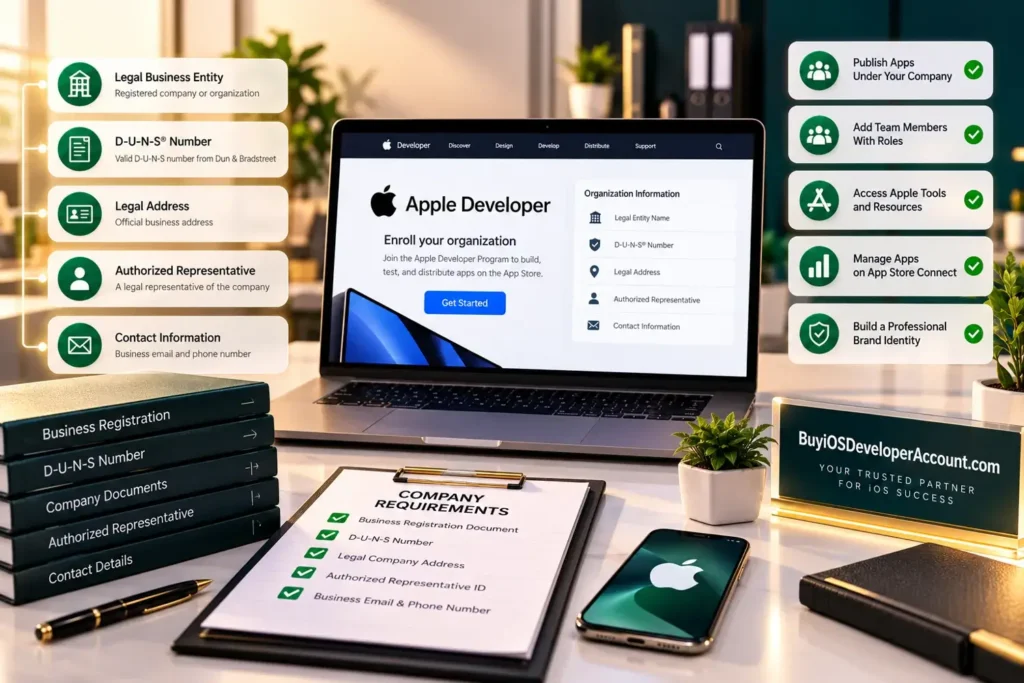
Not every item below is uploaded automatically. Think of this as a readiness checklist: keep these records available if Apple asks, rather than sending them without a request.
| Document or detail | Why it matters | Important note |
|---|---|---|
| Legal registration record | Helps establish the business as a legal entity | Must show the actual legal name |
| D-U-N-S Number | Business identity verification | Government organizations have an exemption |
| Legal address and company phone | Helps validate company information | Keep consistent with registered records |
| Authorized person’s identity and details | Establishes the enrolling representative | Apple may require additional verification |
| Evidence of signing authority | Shows the person may agree to terms | Reference contact may be required |
| Business-domain email | Connects applicant to company | Use a working, controlled address |
| Public company website | Supports organizational presence | Social profile alone is insufficient |
| Notarized records, if requested | Confirms copies of official documents | Depends on Apple’s review and local rules |
This is not a universal promise that exactly eight documents will be requested. Apple’s process is a verification of the applicant and organization, not a fixed checklist guaranteed to apply identically to every jurisdiction.
How to Get a Company Apple Developer Account in 2026: Step by Step
The following approach follows Apple’s published organization enrollment process, with an emphasis on preparation and long-term control.
Step 1: Confirm the correct legal entity
Decide which registered company should own and publish the app. For a client project, the client is usually the appropriate party to enroll. Confirm the exact legal name, jurisdiction, and identity of the authorized Account Holder before starting any forms.
Step 2: Check the D-U-N-S record
Search the organization’s existing D-U-N-S details. If no record exists, follow Apple’s linked process to request one. If there is a mismatch, correct it with Dun & Bradstreet and allow the relevant update time. A marketing business name is not a substitute for the legal name.
Step 3: Prepare the website and work email
Check that the company’s domain is working, the website contains genuine content, and the work email is usable. If the site is under construction or its domain does not relate to the organization, address those issues before submitting.
Step 4: Secure the Apple Account
The authorized enrolling person should sign in with a valid Apple Account, enable two-factor authentication, confirm trusted devices and phone numbers, and keep recovery details current. Do not share the Account Holder password with third-party agents.
Step 5: Start official organization enrollment
Visit Apple’s program enrollment guidance and choose the appropriate enrollment path, via the web or Apple Developer app where available. Select the organization entity type and supply the legal company details, D-U-N-S Number, address, website, and signing-authority information requested.
Step 6: Respond to verification
Apple checks the organization and its legal representative. Watch the official enrollment email for instructions. A verification representative may seek extra information or supporting documents. Supply accurate documents through legitimate channels rather than attempting to bypass the check.
Step 7: Review terms and pay the membership fee
After the organization’s information is verified, Apple provides next steps for reviewing the Apple Developer Program License Agreement and purchasing membership. The standard annual fee is US$99, or a locally displayed price where available. Eligible nonprofits, educational institutions, and government entities may qualify for a fee waiver under additional conditions.
Step 8: Configure App Store Connect and developer-team access
Once the membership is active, review legal agreements, invite authorized team members, assign appropriate roles, and decide who will handle development, release management, analytics, and finance. A contractor usually needs role-based access, not the Account Holder’s password.
Step 9: Prepare your app for TestFlight and App Review
Create the app record, configure your build and signing workflow, test the app, prepare screenshots and metadata, make required privacy disclosures, and submit the app for review when ready. Membership approval is not the same as approval of a particular app.
How Much Does a Company Apple Developer Account Cost?
Understanding official Apple fees versus third-party offers is especially important for business customers. Apple lists the standard Apple Developer Program membership at US$99 per membership year (or the local equivalent where available). This is the official program charge for both eligible individual and organization enrollment. Apple’s separate Enterprise Program is intended for qualifying in-house enterprise distribution and is not needed merely to publish a normal consumer app on the App Store.
At the time this guide was prepared, the BuyiOSDeveloperAccount.com homepage advertised these package prices:
| Advertised website package | Listed price | What you should verify before ordering |
|---|---|---|
| Personal Account | $350 | Identity, eligibility, delivery terms, recurring costs, and who controls the account |
| Company Account | $850 | Legal entity, D-U-N-S responsibility, Account Holder and authorized access arrangements |
| Combo Package | $1,150 | Exactly what each component includes, renewal obligations, and permitted ownership structure |
| Apple Developer Program | $99/year | Apple’s own membership fee, distinct from third-party packages |
Important distinction: The $350, $850, and $1,150 amounts are website-advertised third-party package prices, not Apple’s official membership fees. The website also advertises items such as verified accounts, delivery and credential access; those claims should be confirmed directly with the provider and checked against Apple’s rules before payment. A higher service price is not evidence of faster Apple approval, guaranteed verification, or authorized resale.
If you are comparing providers, start with our advertised account packages and request a written description of the deliverables, refund terms, verification obligations, data handling, and Apple-compliant access model. Prices and features can change, so verify the current package before purchasing.
Company Account Ownership and Apple’s Restrictions on Account Resale
It is essential to distinguish help with enrollment from the sale of an existing developer membership. Under the Apple Developer Program License Agreement, Apple restricts sharing, selling, reselling, renting, or otherwise giving unauthorized third parties access to a developer account. Each authorized developer is expected to use their own permitted credentials or Apple Account.
That means buying an unrelated organization’s login details does not automatically make your business the legal owner of its Apple Developer Program membership. Likewise, a promise of “full ownership” should be scrutinized when the legal seller name, Account Holder, or registered entity does not match your business.
A legitimate service may help you understand the requirements, organize documents, configure team access, or prepare App Store Connect. Such assistance should preserve the correct legal enrollment and follow Apple’s agreements. If your goal is to acquire an existing app, Apple has a separate official app transfer process for eligible apps; a transfer of an app is not a general purchase of another person’s developer account.
How Organization Team Access Works
An organization membership is useful when several people must contribute to the same app. The Account Holder is the responsible legal contact, while appropriate roles can be assigned to employees and authorized contractors. Roles may differ between the Apple Developer account site and App Store Connect, so review each access level before inviting users.
For example, developers may need development and certificate-related resources; an App Manager may handle release information; marketers may manage selected listing content; and finance users may need access to sales and banking workflows. Grant only the permissions actually required. Review permissions after a project ends, and remove former contractors promptly.
Apple’s official user-access documentation explains that individual members can also grant access to App Store Connect, but organization members have the broader developer-team membership benefits. Avoid the inaccurate claim that an individual account cannot invite any users at all.
Common Company Apple Developer Account Verification Problems
Legal name does not match the D-U-N-S profile
Even differences in spelling or legal suffix can create review questions. Compare the exact company name, address, and organization classification against D&B and official registration documents. Update the underlying record rather than submitting contradictory information.
The business is a sole proprietorship
Apple’s organization enrollment guidance does not treat a sole proprietorship or single-person business as a qualifying company category. Those applicants should generally enroll as individuals, with their legal personal name appearing as the seller. If the business later becomes an eligible legal entity, review Apple’s process for updating membership information.
The website is incomplete
A parked domain, social media profile, or nearly empty site can fall short of Apple’s requirements. A functional website with genuine business content and a matching domain is a practical prerequisite—not a guarantee of approval.
The applicant cannot prove authority
If a freelancer or junior employee cannot legally bind the company, Apple may request an authorized contact or decline to proceed until the role is clarified. Have a founder, executive, or duly empowered employee handle enrollment.
No response to Apple’s email
The verification process can stall when the contact mailbox is not monitored. Make sure the designated representative receives Apple messages, checks spam folders, and responds accurately to follow-up questions.
Expecting immediate approval
Apple does not publish a universal guaranteed approval time for every organization. D-U-N-S corrections, document verification, and regional requirements can affect the timeline. Plan your release schedule with additional time instead of paying a provider for a promise it cannot control.
Best Practices for a New Company Developer Account
Treat the developer membership as part of your company’s long-term software infrastructure. Keep legal registration details accurate, maintain a working domain and corporate email, document who owns the Account Holder role, and use robust security measures.
Create a simple access register for staff and contractors. Record who is authorized to manage certificates, production builds, App Store Connect, financial information, and renewals. Maintain secure source-code repositories and a release procedure that does not depend on a single outside vendor. If your organization undergoes a legal name or ownership change, consult Apple’s official guidance rather than changing display details informally.
Before the first public release, verify the app’s seller name, privacy details, contractual agreements, tax and banking requirements where applicable, and App Review readiness. A company membership makes professional distribution possible; it does not replace the separate work of developing and complying with App Store policies.
Frequently Asked Questions About Company Apple Developer Accounts
What is required to open a company Apple Developer account in 2026?
A qualifying legal entity, a D-U-N-S Number unless exempt, signing authority, a work email associated with the company’s domain, a functioning website, and an Apple Account with two-factor authentication are key requirements. Apple may request additional supporting business documents.
Is a D-U-N-S Number mandatory for a company Apple Developer account?
It is generally required for organization enrollment. Apple’s official guidance provides an exemption for government organizations. Check current rules for your specific entity before applying.
Can I get a company Apple Developer account without a registered company?
Not simply by choosing a business name. Apple requires eligible legal entity status; DBAs, trade names, and sole proprietorships do not independently qualify for organization enrollment under the stated rules.
How much is the official Apple company developer membership?
The standard Apple Developer Program membership costs US$99 per year, or local-currency pricing where available. Third-party service offers, including packages listed by BuyiOSDeveloperAccount.com, are separate and may cost more.
Can my company publish apps under its brand name?
The App Store seller name generally reflects the verified legal entity name of an organization member. A commercial brand or DBA is not automatically substituted for the company’s registered legal name.
Does Apple require business registration documents?
Apple verifies legal entity status and may request supporting documents, including notarized copies in some cases. The exact request is not identical for every organization or jurisdiction.
Can a third party handle organization enrollment on my behalf?
A consultant can assist with preparation, but the person enrolling must have appropriate legal authority and the organization must retain compliant control. Apple’s contract-developer guidance recommends that the organization enroll and add authorized contractors to its team.
How long does organization enrollment take?
There is no universally guaranteed timeframe. The accuracy of the organization’s record, D-U-N-S status, signing-authority verification, and Apple’s follow-up requirements can all affect the process.
Can a company invite developers to App Store Connect?
Yes. Organization members can add team members and assign appropriate roles and permissions. Individual memberships also support App Store Connect user invitations with a narrower scope of membership access.
Can I buy an existing company developer account and change its owner?
Do not assume an account is freely transferable. Apple’s agreement restricts unauthorized account resale and credential access. Eligible Account Holder changes and app transfers have specific official procedures; neither should be confused with simply acquiring a login.
Final Thoughts: Prepare Your Business Before You Enroll
The most effective way to obtain a company Apple Developer account is to prepare a real, qualifying business for Apple’s verification process. Focus on your legal entity, accurate D-U-N-S record, authorized Account Holder, company domain email, functional website, and secure access plan. These fundamentals matter more than promises of shortcuts or instant approval.
For businesses comparing professional assistance options, review the BuyiOSDeveloperAccount.com homepage and available packages while keeping Apple’s official requirements at the center of the decision. Ask what the advertised price covers, who will legally hold the membership, whether credentials are handled securely, and which steps Apple must verify independently.
Ready to prepare for enrollment? Gather the documents in this guide, review the Apple Developer Program enrollment instructions, and choose a compliant support arrangement that keeps your company in control of its app-publishing future.