
Apple Developer Account Ownership Transfer: Rules and Risks (2026 Guide)
An Apple Developer account transfer is one of the most misunderstood subjects in iOS app publishing. A founder leaves a startup, a company is acquired, an agency delivers a finished app, or a developer finds an online offer for an existing membership. Each situation is described as a “transfer,” yet Apple’s official procedures treat them differently. Choosing the wrong path can put an app, its publishing permissions, or its security at risk.
The distinction matters especially in 2026, when businesses depend on uninterrupted App Store updates, TestFlight access, and continuity of contracts, subscriptions, and user support. You may need to change the person responsible for an organization’s membership. You might instead need to move a specific app to a completely different developer account. Or you may simply want a new member of staff to help manage releases. Those situations require different actions.
This guide explains the rules, risks, practical checklists, and safer alternatives. It also compares official Apple membership fees with third-party service-package prices advertised by BuyiOSDeveloperAccount.com. The information is for planning and education, not a promise that Apple will approve any particular transaction.
Quick Answer: Can You Transfer an Apple Developer Account?
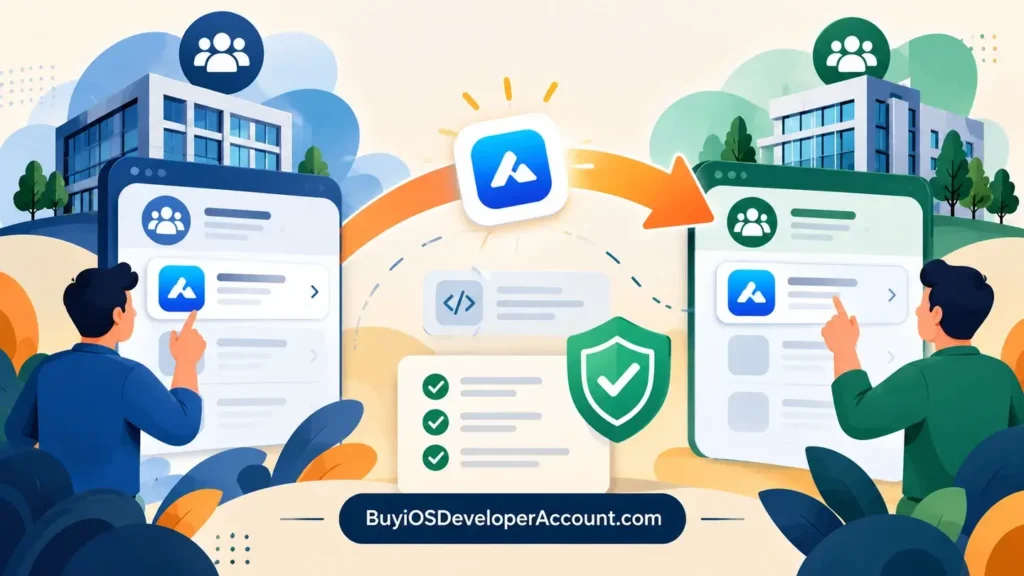
Sometimes, but not in the way online account resellers often suggest. Apple permits an eligible organization’s Account Holder role to be transferred to another employee on the team who has authority to bind the organization to legal agreements. For individual memberships, Apple’s published examples are exceptional circumstances involving a minor reaching the age of majority or the Account Holder’s death; Apple Developer Support must help with that process.
Separately, Apple offers an App Store Connect app transfer that can move a qualifying app from one developer account to another. That is a transfer of an app, not a sale of the originating membership or its login credentials. Apple’s Developer Program License Agreement restricts sharing, selling, reselling, or providing unauthorized access to developer accounts and related services.
Read Apple’s official Account Holder transfer instructions, app transfer overview, and Developer Program License Agreement before making arrangements.
Three Different Meanings of Apple Developer Account Transfer
The term apple developer account transfer can refer to three very different business needs. Conflating them is the primary source of costly mistakes.
| Situation | What changes | Relevant Apple process | What does not automatically change |
|---|---|---|---|
| A company’s authorized Account Holder leaves | Responsible person within an existing organization membership | Transfer the Account Holder role | Legal organization owning the membership |
| A published app is sold or moved between businesses | Ownership and management of an eligible app | App Store Connect app transfer | The seller’s entire developer membership |
| A contractor needs release access | App-management permissions for a collaborator | Invite users and assign appropriate roles | Account Holder identity or membership owner |
A fourth scenario—purchasing a stranger’s Apple Account password—does not become an official transfer merely because the seller describes it that way. The membership agreement, verified identity, legal seller name, and associated obligations all remain relevant. For a safe decision, begin with the business outcome, not with the availability of a login.
Account Holder role vs legal ownership
The Account Holder accepts program agreements, manages certain sensitive settings, and renews membership. In an organization, a change in this role normally means one authorized employee replaces another. It does not mean an unrelated buyer now owns that organization’s legal identity. Corporate acquisitions and changes in legal entity information may create additional issues that need Apple’s review.
App ownership vs account ownership
A published app is a digital business asset; the developer membership is a contractual program relationship. Apple supplies a defined app-transfer workflow for eligible apps. It keeps the app’s bundle ID and can preserve availability and existing ratings and reviews, while the new owner assumes responsibility for future updates. This is usually more appropriate when an entire product changes hands.
1. Rules for Transferring an Organization’s Account Holder Role
For an organization enrolled in the Apple Developer Program, Apple’s stated rule is specific: the current Account Holder can transfer the role to another employee on the team with legal authority to bind the organization to agreements. The person cannot be an arbitrary outside buyer chosen solely to receive the credentials.
The typical official sequence begins in the developer account under Membership details. The current Account Holder chooses the update option, selects Transfer Account Holder role, picks an eligible team member, and accepts the relevant transferor agreement. The proposed new Account Holder then follows Apple’s instructions, completes any required identity checks, signs in using their own Apple Account with two-factor authentication, and accepts the applicable agreement. Apple sends notices when the process finishes.
Before starting, the organization should confirm that the incoming person is employed or otherwise qualifies under Apple’s published rule, genuinely holds the necessary signing authority, and can handle membership renewal, program contracts, banking-related approvals, and App Store release responsibilities. The current Account Holder should also check whether membership was purchased through the Apple Developer app: Apple’s instructions include subscription-related handoff steps so the next renewal is handled correctly.
For the most up-to-date buttons, exact order, and regional verification requirements, rely on Apple’s transfer-the-Account-Holder-role guide. Do not treat this article as a substitute for the workflow displayed in your actual account.
A practical example: a founder leaves a startup
Suppose a company enrolled correctly as an organization and its founding Account Holder is leaving. The company has a qualified executive or authorized employee already on its development team. The company generally needs an Account Holder role transfer, not a new purchase from a third party and not a mass migration of every app. Its legal entity remains the same, while the responsible representative changes after Apple approves the process.
An important limit: business sales and mergers
If one company is being sold to a different legal entity, don’t assume an internal role transfer automatically completes the legal transfer of the membership. The Apple Developer Program License Agreement includes restrictions on assignment without Apple’s express prior written consent. Get advice appropriate to the transaction and contact Apple Developer Support where needed before closing the deal.
2. Rules for Transferring an Individual Apple Developer Account
Apple’s official guidance is much narrower for individuals. It describes Account Holder transfers when a minor reaches the local age of majority and receives the role from a guardian, or when the Account Holder has died. Apple’s Developer Support assistance is required. These are not general-purpose mechanisms for selling a personal developer membership on an online marketplace.
A personal membership is associated with the verified legal identity of its holder. Giving someone the password does not make Apple recognize the recipient as the new legal Account Holder, does not rewrite the program agreement, and does not guarantee that the recipient can pass future identity checks. It can also expose the original holder’s sensitive account information and activity.
If the goal is to transfer a particular app that is currently published through an individual’s account, evaluate the official App Store Connect app-transfer eligibility rules instead. If the goal is for the buyer to start publishing new apps, obtaining a membership under the buyer’s own identity or legitimate company is often the clearer long-term solution.
3. Apple App Transfer: The Right Tool for Selling a Published App
An app transfer is an official workflow that can move a qualifying app from one App Store Connect account to another. Apple states that a transferred app can remain available on the App Store and retain its ratings and reviews. Customers can continue receiving updates, and the app’s existing bundle ID is maintained.
That continuity makes the app-transfer process relevant when a studio sells a product, a client takes ownership of a completed app from an agency, or a business reorganizes its portfolio. But it is not an unrestricted button. Apple’s eligibility checks apply to the app and both developer accounts.
According to Apple’s app-transfer criteria, requirements include that both accounts be in the appropriate state with current agreements accepted; the app must have at least one version released on the App Store; it cannot be in certain review or processing statuses; and some products or app services have special restrictions. Certain app categories, including Apple Arcade apps, are not eligible.
The original Account Holder starts the process. The recipient Account Holder needs to accept within 60 days, and Apple says the transfer itself can take up to two business days after acceptance, subject to issues such as export compliance. These are Apple’s process guidelines, not a guaranteed completion time for every case.
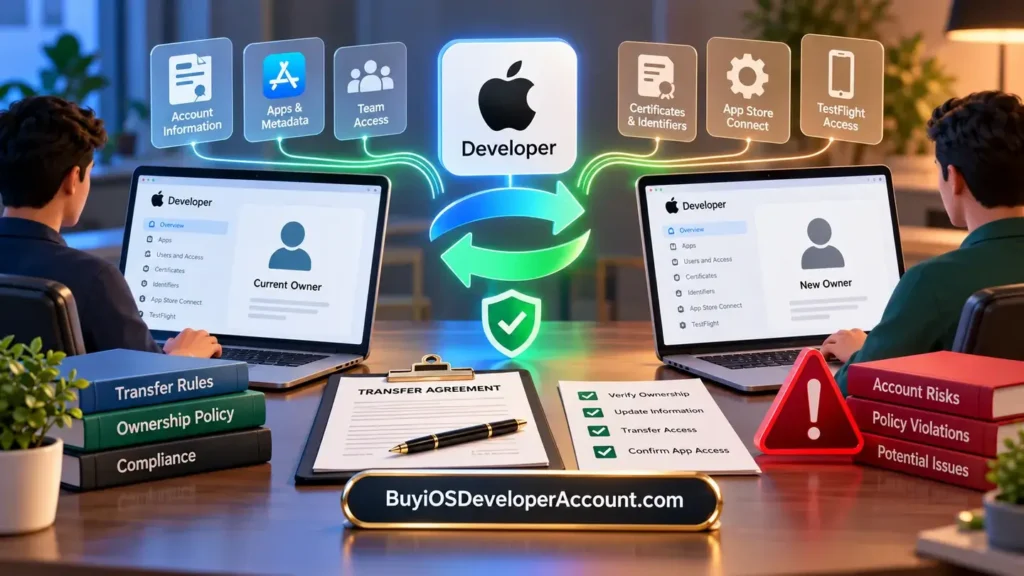
Step-by-step app transfer overview
- Verify the app’s eligibility. Review the current status, agreements, in-app purchases, capabilities, and restrictions on both accounts.
- Back up app information. Save metadata, screenshots, pricing history, financial records, product IDs, source code, and a record of configurations before the transfer begins.
- Agree on the commercial transaction. Decide who owns intellectual property, code, domains, services, user data responsibilities, and post-transfer support. Apple’s app-transfer screen does not replace a business purchase agreement.
- Initiate from App Store Connect. The transferor Account Holder opens the app’s information and selects the transfer action after the checks pass. The recipient’s Account Holder Apple Account and Team ID are needed.
- Complete recipient acceptance. The recipient reviews the app transfer in App Store Connect, updates required contact and privacy information, agrees to the terms, and accepts within the deadline.
- Reconfigure operations. Review signing and provisioning profiles, APIs, app services, notifications, analytics, bank and tax settings, and team access after ownership changes.
Apple’s initiation guide and acceptance guide provide the exact current steps. For an acquisition with a complex technical stack, have the buyer and seller prepare a separate engineering handover plan.
4. What Happens to Ratings, Reviews, Source Code, and Data?
A transfer can preserve app continuity, but it does not automatically transfer every asset connected to the business. Apple’s overview says the app keeps its bundle ID, ratings and reviews, and download availability where the conditions are met. The transferor, however, is responsible for separately exchanging the actual source code and build assets with the recipient.
That is particularly important for agencies and acquisitions. An app may use private servers, third-party authentication, cloud storage, push-notification services, analytics accounts, payment infrastructure, domains, and intellectual-property licenses that are outside the App Store Connect transfer. Some services, entitlements, and identifiers need updates or additional coordination. Apple also notes differences in access to historical payment, sales, and analytics data after an app changes owner.
A buyer should therefore request a technical inventory before paying: source-code repositories, build pipelines, signing setup, backend services, domain ownership, privacy policies, data-processing arrangements, documentation, subscription dependencies, and access to developer tools. A successful app transfer in the portal is only one part of a complete product handover.
5. The Biggest Risks of Buying an Existing Developer Account
A website may advertise a “verified” or “ready-to-publish” account and imply that access can be delivered instantly. Even if the login works on day one, that does not establish valid ownership or policy compliance. Before paying for such an offer, evaluate these risks carefully.
Risk 1: Violation of Apple’s license terms
The Apple Developer Program License Agreement restricts unauthorized account access, credential sharing, selling, and reselling. An unofficial account sale may put continued program access at risk. Describing a credential handover as “ownership transfer” does not change the agreement.
Risk 2: Recovery and identity-verification failures
The verified Account Holder may still control trusted devices, recovery methods, contact information, or records Apple uses to verify identity. A password change does not necessarily resolve these dependencies. When a future identity check or support case arises, the buyer may not be able to establish authority.
Risk 3: Existing app or policy history
An old membership can have a history of app reviews, disputes, program notices, or security events. A purchaser who was not the legitimate account operator may not be able to assess the entire history before paying. No provider can guarantee that a particular account will remain in good standing forever.
Risk 4: Unexpected access to personal or company data
Shared credentials can expose billing details, agreements, team members, analytics, developer certificates, and app information. The buyer and original holder may both face privacy or security concerns. Business partners should use Apple-supported permissions and contractual arrangements rather than trading a common password.
Risk 5: Renewals and payment uncertainty
Developer Program membership is generally renewed annually. The person who controls payment or the required subscription may not be the person who received a purchased login. This mismatch can threaten updates and continuity if ownership questions emerge at renewal time.
Risk 6: Seller name and brand mismatch
The App Store seller name reflects the membership’s legal individual or organization. Purchasing access does not automatically convert a personal seller into your company’s verified legal name. If brand identity matters, choose the appropriate official enrollment path at the outset.
6. Apple Developer Account Transfer Checklist Before Any Handover
Use this short diligence table to determine whether you are dealing with the right type of transaction.
| Question | What a responsible answer should clarify |
|---|---|
| Is the membership Individual or Organization? | The official enrollment category and legal seller identity |
| Is the legal entity changing? | Whether Apple approval or a different process is required |
| Is only the Account Holder employee changing? | Authorized candidate, Apple role-transfer steps, and signing authority |
| Is an existing app being sold? | App-transfer eligibility, recipient account and technical assets |
| Will someone receive a shared password? | Why this is needed instead of Apple-supported team roles; policy implications |
| Who controls two-factor authentication? | Verified identity, trusted devices and independent secure access |
| Who owns source code and back-end systems? | Contractual handover outside App Store Connect |
| Who handles renewal and agreements? | Responsible authorized Account Holder and payment arrangements |
| Who supports the transfer if a check fails? | The official Apple Support route and written service limitations |
If any key answer is missing, postpone an irreversible commercial commitment until the buyer and seller understand the situation. A service provider can help gather documentation and coordinate an authorized process; it cannot substitute for Apple’s approval or change the identity requirements imposed by Apple.
7. When You Should Use Team Permissions Instead of Transfer
Not every staffing change requires an Account Holder transfer. A business may need an agency to upload builds, an engineer to configure signing, a marketer to edit screenshots, or a project manager to review releases. Apple supports controlled user roles in App Store Connect, and organizations can add developer team members with appropriate resource permissions.
Use the principle of least privilege: give every person the minimum access required to complete their assignment. Remove old collaborators after their role ends, and preserve control of the legal Account Holder identity. This approach allows many business tasks to continue without changing membership ownership.
A contractor should normally have their own Apple Account. Avoid sharing a single login among contractors because it makes audit trails, recovery, and security management harder. Review the Apple Developer roles guide before setting up team access.
8. What Does Apple Developer Account Transfer Cost in 2026?
There is no single official Apple Developer account transfer price that applies to every scenario. The Apple Developer Program’s standard membership fee is US$99 per membership year, or the corresponding local-currency amount shown during enrollment. That fee purchases participation in the program; it should not be misrepresented as a payment that automatically permits resale of another person’s account.
The fee for a particular acquisition, documentation project, consulting engagement, or app-business sale depends on the private agreement and scope of work. A professional advisor may charge for legal review, eligibility checks, App Store Connect coordination, developer handover, and migration planning. Ask for a written scope and confirm that it describes an Apple-supported route.
At the time the pricing was previously supplied for this website, BuyiOSDeveloperAccount.com displayed the following third-party package amounts. These are website-advertised package prices, not Apple’s official membership or transfer fees, and the precise deliverables and current live prices must be reconfirmed before publication:
| Advertised website package | Previously listed price | What readers should verify |
|---|---|---|
| Personal Account | $350 | Exact service scope, legal owner, renewal, identity requirements and whether delivery method complies with Apple rules |
| Company Account | $850 | Entity eligibility, Account Holder authority, business verification and permitted team access |
| Combo Package | $1,150 | Written explanation of both components, separate legal identities, support deliverables and limits |
The Company package being more expensive does not change Apple’s standard fee for an eligible organization membership, and a service quote is not evidence that Apple authorizes an account resale. Confirm the package details with the provider and compare them against the official policies before ordering.
9. Safer Alternatives to an Unofficial Account Purchase
If your objective is to publish new apps, begin with Apple’s official enrollment requirements. Choose an Individual or Organization membership that matches the actual legal publisher and retain control of the corresponding Apple Account. If you want a different company to own an existing app, check app-transfer criteria and complete the transfer through App Store Connect.
If a business is losing its Account Holder, use Apple’s internal organization role-transfer path when the candidate meets the conditions. If you simply want a vendor to publish or maintain your app, assign official team permissions. If an acquisition changes who controls the company or creates other legal changes, consult Apple and qualified advisors about the exact facts rather than assume that swapping an email and password is sufficient.
The most reliable option is the one that leaves the legal publisher, operational access, intellectual-property rights, and support responsibilities aligned. Speed is useful, but long-term control is more important than instant access.
10. Business Scenarios and Which Apple Process Fits
Scenario A: A founder resigns but the company remains the same
Usually examine the organization Account Holder role transfer. Prepare evidence of the new representative’s signing authority, complete Apple’s official handoff, and review subscription responsibility. The company’s App Store seller identity should remain aligned with the existing legal entity.
Scenario B: An indie developer sells a successful app to a startup
Usually examine App Store Connect app transfer, assuming eligibility. The startup needs a valid developer membership to receive the app. Separately transfer source code, servers, documentation, and legal intellectual-property rights. Do not assume the indie developer must sell their personal Apple Account.
Scenario C: An app agency hands a project back to its client
If the agency published through its own membership and the client is the intended long-term publisher, review whether the app qualifies for an app transfer into the client’s membership. If the app is already in the client’s account, the agency may only need its temporary role permissions removed. Check contracts and development assets in either case.
Scenario D: A buyer finds an inexpensive “aged account” online
No official age-based ownership-transfer shortcut is established by the seller’s description. Ask whether the offer entails an unauthorized credential transfer. If it does, investigate official enrollment or another lawful route instead of relying on someone else’s identity and account history.
Scenario E: A startup raises funds and hires a release manager
Usually no transfer is required. Keep the authorized Account Holder and assign release management access to the new colleague. Grant only the permissions needed and review access when responsibilities change.
11. Common Mistakes During Apple Developer Account Transfers
The first mistake is using “account transfer” when you actually mean “app transfer.” The second is assuming successful login equals recognized membership ownership. The third is forgetting that organizational legal identity and Account Holder role are different concepts. The fourth is transferring an app without coordinating back-end systems, code, API keys, and customer support. The fifth is failing to review app eligibility and renewal dates before entering a sale agreement.
Another mistake is publishing absolute promises such as “100% guaranteed ownership transfer,” “instant approval,” or “permanent account security.” Apple controls its program rules and review processes, and circumstances change. Responsible articles and product pages should distinguish official rules from the independent provider’s own service descriptions and should disclose limitations or additional fees.
Finally, do not overlook privacy obligations when an app business changes hands. Customer data should be handled according to applicable law and the app’s privacy statements. An App Store Connect transfer is not a replacement for appropriate data-transfer diligence.
12. How to Prepare Your Business for a Clean Transfer
For businesses planning an app sale, prepare a single internal handover inventory. It should identify the legal owner and Account Holder, app identifiers, current app status, Apple agreements, release certificates, software repositories, keys and secrets, servers, integrations, payment and tax responsibilities, contract documents, and contacts for every operational dependency.
Set a target handover date only after the eligibility checks are complete and the receiving team is ready. Establish who handles customer questions, refunds, app-store metadata changes, and emergency bug fixes during the transition. Keep records of the official transfer confirmation and of every separate asset delivered. This makes the transfer auditable, less disruptive, and easier to support after completion.
Where the buyer is a separate company, ensure that its legal entity is eligible for organization enrollment if the buyer wants the business name displayed as the App Store seller. Apple expects accurate legal details, authorized representation, and a D-U-N-S Number for most organization enrollments. Start those tasks early instead of relying on a last-minute credential purchase.
Frequently Asked Questions About Apple Developer Account Transfer
Can I transfer my personal Apple Developer account to another person?
Apple lists limited individual Account Holder transfer circumstances, including a minor reaching the age of majority and an Account Holder’s death, with Apple Developer Support assistance. It is not a general open-market resale procedure. If you are selling a published app, evaluate Apple’s separate app-transfer workflow.
Can I transfer a company Apple Developer account to a new employee?
An organization’s authorized Account Holder may transfer the role to an eligible employee on the team who can bind the organization to legal agreements. The recipient must follow Apple’s verification and acceptance process. This is a change in responsible person, not necessarily a change in legal membership owner.
Is Apple Developer account resale allowed?
Apple’s Developer Program License Agreement restricts unauthorized selling, reselling, sharing, renting, or otherwise providing account access. A seller should not represent a simple credential handover as an Apple-approved ownership transfer. Consult the current agreement and Apple Developer Support when unsure.
Can I move my published app to another Apple Developer account?
Yes, if the app and both participating accounts meet Apple’s app-transfer criteria. The current Account Holder initiates the transfer through App Store Connect and the recipient Account Holder accepts it. Some app types, review states, and service configurations are restricted.
Will an app lose its reviews after transfer?
Apple states that eligible transferred apps retain their existing ratings and reviews, can remain available for download, and keep their bundle IDs. Specific technical components and operational assets still require careful migration planning.
How long does an App Store Connect app transfer take?
The recipient must accept within 60 days after the request is initiated. Apple says processing can take up to two business days following acceptance in ordinary cases, but compliance reviews or technical conditions can affect the process. Do not promise a universal completion time.
How much does an Apple Developer Account transfer cost?
There is no universal official fee for a transaction marketed as an account transfer. Apple’s standard Program membership is normally US$99 per year in the United States or regional equivalent. Private consulting or app-acquisition costs are separate and depend on the service or transaction.
Does giving someone my Apple Account password transfer ownership?
No. Possessing login credentials does not establish that Apple recognizes a new legal Account Holder or that the applicable developer agreement permits the arrangement. Use Apple’s recognized account role, app transfer, or team access procedures instead.
Can an agency publish an app for a client without owning the client’s account?
Often yes. App Store Connect supports role-based access for approved users, and organizations can invite development team members. The right arrangement depends on the required tasks and the legal publisher; shared Account Holder credentials are not the default solution.
What if Apple says my app is ineligible to transfer?
Review Apple’s published app-transfer criteria and any App Store Connect notice to identify the blocker. Resolve eligible status or agreement issues, and contact Apple Developer Support if necessary. Do not try to bypass restrictions by handing over another person’s login.
Final Thoughts: Choose the Right Kind of Transfer
A successful apple developer account transfer starts with the correct definition of what is changing. For a company changing its authorized representative, Apple’s Account Holder role-transfer process may apply. For an app sold to a new owner, App Store Connect’s app-transfer process may be appropriate. For a contractor who only needs access, user roles may be enough. And for a new publishing business, enrolling under the correct legal identity may be the strongest foundation.
The biggest avoidable risks come from confusing account credentials with legal ownership, ignoring Apple’s licensing restrictions, or treating a published app as if its source code and infrastructure move automatically. Protect your investment by verifying the current official instructions, documenting the commercial agreement, and preparing the technical handover well before any transfer.
To learn about independently offered developer-account services and the current package terms, visit BuyiOSDeveloperAccount.com and review the available packages. Ask the provider to explain exactly which Apple-authorized process, if any, applies to your specific situation. No independent service is automatically an Apple-approved seller or guaranteed transfer agent.
Official Apple References
- Transfer the Account Holder role — Apple Developer
- Overview of app transfer — App Store Connect
- App transfer criteria — App Store Connect
- Initiate an app transfer — App Store Connect
- Accept an app transfer — App Store Connect
- Apple Developer Program License Agreement
- Apple Developer Program enrollment
- Apple Developer roles and access
Editorial note: This independent informational guide is not Apple documentation or legal advice. Apple may update the rules. Last reviewed: October 2026.