
How to Choose an Apple Developer Account Setup Service (2026 Guide)
An Apple Developer account setup service can help you understand enrollment requirements, prepare business documents, configure App Store Connect, and organize the steps involved in publishing an iPhone or iPad app. But not every provider offers the same type of assistance. Some explain Apple’s official enrollment process; others advertise pre-registered accounts, account credentials, expedited delivery, or publishing support. Those offers have materially different costs, responsibilities, and risks.
If you’re a solo developer preparing your first release, a founder building a startup, or an agency managing client applications, choosing the right service should begin with one question: Will the arrangement leave the correct person or legal organization in control of its Apple Developer Program membership? Price, speed, and customer support matter—but legitimate ownership and long-term access matter more.
This practical 2026 guide provides a 12-point evaluation checklist, explains Apple’s published fees and enrollment standards, and compares the packages advertised on BuyiOSDeveloperAccount.com. It also explains the difference between paid setup help and purchasing an existing developer login so that you can make an informed decision before paying anyone.
Quick answer: Choose an Apple Developer account setup service that clearly defines its work, explains Apple’s rules, keeps enrollment tied to the correct legal owner, protects two-factor authentication, provides itemized pricing, and never promises to bypass Apple’s identity checks or guarantee App Store approval.
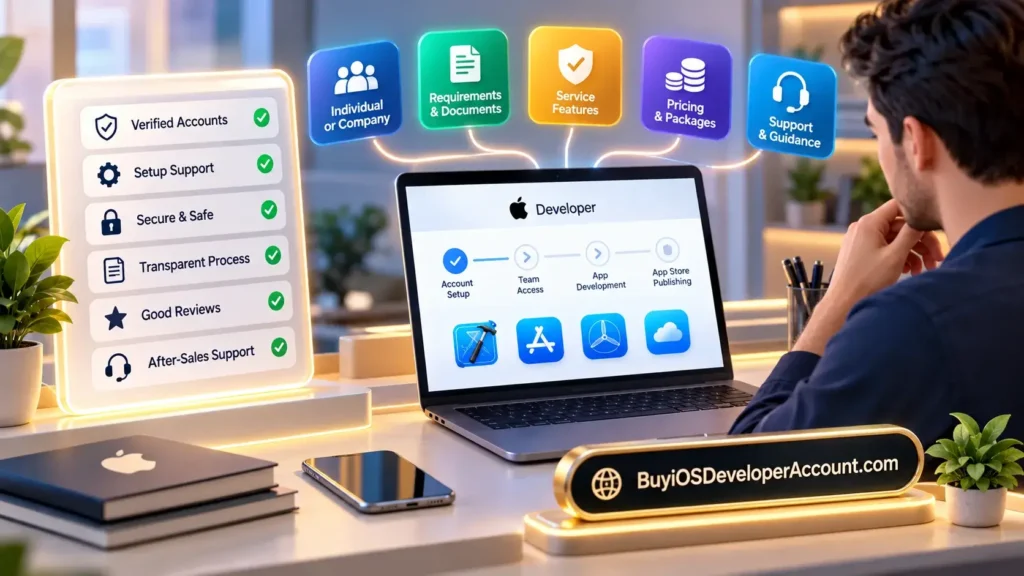
What Is an Apple Developer Account Setup Service?
A setup service is third-party assistance related to the Apple Developer Program and the tools used to prepare and publish apps. A responsible provider may guide you through selecting a membership type, organizing enrollment information, checking the business details Apple requires, setting up permissions, and learning the App Store Connect workflow. The provider is not Apple and does not decide whether your enrollment or app submission is approved.
It helps to separate four different offerings that may all be marketed under the same keyword:
- Enrollment guidance: Explanations of individual or organization eligibility, required information, identity checks, and Apple’s official application steps.
- Configuration assistance: Help with App Store Connect, certificates, identifiers, app records, team permissions, TestFlight, or release preparation after legitimate membership activation.
- Managed publishing support: Ongoing help organizing a release or supervising contractors through appropriately authorized roles, with the membership remaining under the rightful owner’s control.
- Pre-registered account offers: Advertisements for developer accounts created by another party, sometimes including an email address, password, or claim of instant ownership. These should not be confused with Apple-approved enrollment, Account Holder transfer, or App Store Connect access.
The fourth category needs particular scrutiny. Apple’s Developer Program License Agreement restricts selling or reselling developer account access to people who are not authorized team members, except where Apple’s terms specifically permit it. A verified status badge does not establish permission to resell an account.
Do You Actually Need Paid Setup Assistance?
Not every developer needs to hire someone. Apple publishes enrollment instructions, App Store Connect guides, membership details, and support resources. An individual with straightforward identification and basic technical experience may be able to complete the official process independently and pay only the applicable Apple membership fee.
A setup service can add value when requirements are unfamiliar, a company has complex legal-entity records, several employees need distinct access levels, or an app launch involves many coordinated steps. The benefit is clear guidance and organized execution, not a secret enrollment shortcut.
Before contacting vendors, write down your exact goal. Are you trying to enroll as yourself, enroll a registered company, troubleshoot a rejected organization verification, configure App Store Connect, or transfer an existing app between teams? Different tasks require different services. Asking for a generic “account” without identifying the actual need can lead to purchasing the wrong offer.
For a new individual membership, start with Apple’s official enrollment information. If you already have a membership, you might need only a few hours of technical help rather than an expensive account package.
Understand Individual and Organization Membership Before Comparing Services
An important feature of any trustworthy Apple Developer account setup service is its ability to explain what Apple recognizes as the membership owner.
Individual membership
Apple’s individual option is intended for a person, including an eligible sole proprietor or single-person business. The legal person’s name is generally displayed as the seller name on the App Store. Applicants must supply accurate personal details, comply with identity verification, and maintain control of their own Apple Account and trusted verification methods.
An individual may invite additional App Store Connect users; Apple currently states that individual members can grant up to 50 additional users access to App Store Connect content. However, those users do not become members of the individual’s Apple Developer Program team or receive the other membership resources. That distinction matters when comparing assistance packages.
Organization membership
A company or organization membership is designed for an eligible legal entity. The organization’s legal name appears as the App Store seller. Apple generally checks the registered entity, D-U-N-S Number, company website, domain-associated work email, and whether the applicant has authority to bind the company to agreements. Government entities can have different D-U-N-S requirements.
Organization members can add team members with designated roles, enabling a controlled collaboration model for developers, release managers, and administrators. The business must still appoint an Account Holder with proper signing authority.
| Decision factor | Individual membership | Organization membership |
|---|---|---|
| Intended owner | Eligible individual | Registered legal entity |
| App Store seller | Person’s legal name | Organization’s legal name |
| Business records | Personal identity details | Legal entity, authority, usually D-U-N-S, domain email and site |
| Collaboration | App Store Connect users with defined limits | Organization team roles and wider membership access |
| Standard Apple Developer Program fee | US$99 per membership year | US$99 per membership year |
Apple’s usual program fee is the same for these two enrollment types; a third-party provider’s pricing can be much higher because it is selling something other than Apple’s official membership alone. Check Apple’s membership information and enrollment requirements before selecting a package.
12 Things to Check When Choosing an Apple Developer Account Setup Service
Use these questions in a written conversation with any provider—including a provider you already know or a package advertised on a familiar website. Keep a copy of the answers.
1. Confirm what the service actually delivers
Ask for an exact deliverables list: enrollment coaching, document review, scheduling, configuration, testing support, or access to an existing account. These are different products. “Full setup” should not be the entire description. If a provider refers to “account delivery,” ask what legal ownership arrangement enables that delivery and whether Apple recognizes it.
2. Identify the legitimate Account Holder
For individual membership, the eligible individual should know who will be registered with Apple. For organization membership, the company’s authorized representative should know who is the Account Holder and who can approve legal agreements. A vendor cannot make a customer the recognized owner merely by handing over a login. Request a written explanation of the owner, seller name, and account-control structure.
3. Check compliance with Apple’s current terms
Read the relevant Developer Program License Agreement. Ask a provider to explain how any existing-account offer complies with restrictions on account resale and credentials sharing. Treat phrases such as “100% Apple-approved transfer,” “no verification ever,” or “guaranteed lifetime account” as claims requiring authoritative evidence, not as facts.
4. Verify individual or company enrollment requirements
A reputable setup specialist should be comfortable describing Apple’s identification and legal-entity checks. Individuals may need identity documents when requested; businesses should expect checks involving their legal name, business address, D-U-N-S data, authorized representative, email, and website. Providers can organize documents but cannot lawfully invent an applicant’s identity or authority.
5. Protect passwords and two-factor authentication
Never treat an unfamiliar party’s possession of an Apple Account password or trusted phone number as proof of a secure setup. Ask how the provider works without retaining sensitive credentials. Prefer official team invitations and least-privilege permissions where appropriate. The real Account Holder must understand account recovery, trusted devices, renewal, and Apple’s communications.
6. Ask for transparent, itemized pricing
Request a written quote that separates Apple’s official annual membership fee from consultation, technical implementation, documentation assistance, maintenance, or other third-party charges. Clarify whether taxes, payment processing fees, or annual renewals are additional. “One payment” may refer only to the third-party service rather than the recurring Apple membership.
7. Challenge claims about instant or guaranteed approval
An outside provider cannot guarantee Apple’s enrollment approval or App Review acceptance. Approval timing varies with the applicant’s details and Apple’s verification process. A quote can include an estimated service turnaround, but it should not pretend to control decisions made by Apple. Be cautious about any package that uses a guaranteed review outcome as its main selling point.
8. Examine relevant expertise, not only testimonials
Ask the provider to explain the actual workflow for preparing an app record, managing TestFlight testing, assigning user roles, and responding to missing enrollment information. Look for answers that can be checked against official Apple documentation. Testimonials alone don’t prove technical competence or legal compliance, and a beautiful website isn’t a substitute for a service agreement.
9. Understand the support scope and response channel
Will help be provided by email, ticket, call, or messaging? Is support available before purchase, during verification, and after membership activation? Define what “24/7 support” actually means: emergency incident response, simple message intake, or hands-on technical troubleshooting? Ask whether support covers configuration, app rejections, billing, and renewal issues—and which topics are excluded.
10. Confirm App Store Connect and publishing deliverables
If the service includes publishing preparation, request a checklist covering the app record, bundle identifier, certificates or signing configuration, privacy information, age rating, screenshots, TestFlight, agreements, and final submission responsibilities. Clarify whether the provider creates these assets or merely explains them. App review remains Apple’s decision, and publishing is not included automatically in every setup package.
11. Review refund terms, cancellation, and dispute handling
Find out what happens if an applicant is ineligible, Apple requests more documentation, or a service cannot be completed. A fair contract should explain the deliverables, customer responsibilities, schedule assumptions, fee treatment, and dispute process. For payments that may be difficult to reverse, obtain those terms before sending money. Do not assume a refund exists unless the seller states it clearly.
12. Plan renewals, ongoing access, and exit procedures
The membership may need renewal every year. Ask who receives Apple’s renewal notices, who can accept new legal agreements, and who remains responsible after the consultant’s engagement ends. If an agency leaves, document how its authorized access will be revoked and how the owner can maintain the app without interruption. A successful setup is one that the proper owner can keep operating independently.
Apple Developer Account Setup Service Pricing: Official Fee vs Third-Party Packages
A comparison must separate Apple’s published membership charge from the pricing displayed by a third-party business. Apple lists the standard Apple Developer Program at US$99 per membership year, or local currency where available. That applies to ordinary individual and organization enrollment. Apple Developer Enterprise Program pricing and eligibility are separate and are not a shortcut for distributing apps through the public App Store.
At the time this guide was prepared, BuyiOSDeveloperAccount.com’s Packages page advertised the following prices:
| Listed third-party package | Advertised price | Questions to confirm before ordering |
|---|---|---|
| Personal Account | $350 | Identity of recognized Account Holder; whether an existing login is involved; exact assistance provided |
| Company Account | $850 | Legal entity ownership, D-U-N-S and verification responsibilities, team access arrangements |
| Combo Package | $1,150 | Whether two eligible memberships are involved; who owns each; what combined service and support include |
| Apple Developer Program (official fee) | $99/year | Paid to Apple during eligible enrollment; separate from any third-party charge |
The $350, $850, and $1,150 figures are the site’s advertised package prices, not fees established or endorsed by Apple. The $1,150 combo is $50 below the site’s separate Personal and Company list prices added together ($350 + $850 = $1,200). That arithmetic does not establish the value, legal status, or Apple approval of a bundled account offer.
Important due diligence: The current Packages page also advertises pre-registered accounts, delivery of mail addresses and passwords, and “full ownership.” Apple does not treat transfer of passwords as a recognized transfer of Developer Program membership. Because Apple’s agreement restricts account resale and unauthorized access, buyers should obtain a detailed explanation of these claims and verify that their intended arrangement is permitted before paying. This guide does not certify those offers as Apple-compliant.
Visit the packages and service information to review the listed options, but compare them against Apple’s official process rather than assuming a premium price replaces eligibility checks.
What a Transparent Setup Package Should Include
The clearest professional service agreements divide work into before enrollment, during enrollment, and after activation. That structure prevents misunderstandings and makes services easier to compare.
Before enrollment: eligibility and readiness
Useful assistance can include choosing the right membership category, collecting a document checklist, checking legal-entity consistency, confirming business-domain email readiness, and explaining Apple’s D-U-N-S procedure. A good provider identifies blockers early, rather than promising everything will be completed regardless of eligibility.
During enrollment: guided action by the owner
The eligible person or authorized company representative should understand and control the application. They must review Apple agreements, complete any Apple-requested verification, and manage the account’s required authentication. A consultant may explain screens and help organize paperwork, but should not falsely represent themselves as the legal applicant.
After activation: configuration and education
A technical support package could cover App Store Connect orientation, role-based invitations, app metadata preparation, TestFlight planning, privacy disclosures, and a release checklist. It should hand back documentation so that the owner can manage their membership without depending permanently on a third party.
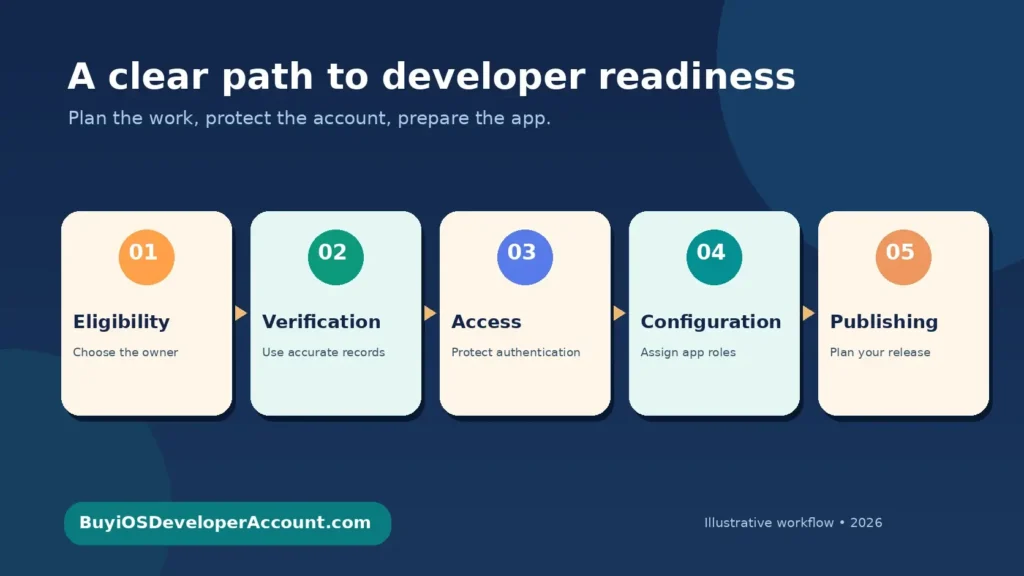
How to Evaluate a Provider in Five Practical Steps
Step 1 — Define the result. Write a one-sentence outcome: “Enroll our registered company under its legal name,” or “Set up App Store Connect roles for our existing organization membership.” Avoid starting with a vague instruction to “buy an account.”
Step 2 — Compare evidence. Read Apple’s enrollment documentation and the provider’s deliverables side by side. Mark any claims about approval, ownership, credentials, or D-U-N-S handling that need clarification. An honest provider should welcome specific questions.
Step 3 — Request a written quote. Ask for all costs, what’s excluded, refund conditions, and the support period. Clarify whether the annual Apple fee is included and how future renewal costs will be paid. Make sure the invoice describes the actual services supplied.
Step 4 — Confirm control and security. Identify the legal Account Holder, trusted devices, two-factor authentication, authorized team access, and how the arrangement ends. Avoid any deal whose success depends on taking over somebody else’s unrelated Apple Account credentials.
Step 5 — Start only when the model is clear. If the agreement is vague, ask for documentation or consider Apple’s official self-enrollment process. Saving a day at the start is not worthwhile if the app or account becomes inaccessible months later.
Common Red Flags in Apple Developer Account Service Offers
Certain marketing phrases deserve an immediate follow-up. “Verified” may only mean Apple’s checks were completed for a different person or legal entity; it does not automatically authorize resale. “Instant transfer” can mean only that a password will be sent—not an official change of Account Holder. “Guaranteed App Store approval” overstates what any independent vendor can decide. “Unlimited uploads” should never be interpreted as exemption from App Review or program rules.
Be cautious when a vendor insists on secrecy about the legal owner, cannot identify the membership type, offers no contract, asks you to submit false registration details, or discourages reading Apple’s terms. Equally, do not judge a provider solely by one negative review or by a price difference. Evaluate clear documentation, lawful processes, technical capability, and aftercare together.
A legitimate consultant should say when Apple’s support team—not the consultant—is the proper authority. For instance, changing an organization’s Account Holder is governed by a specific Apple workflow, and an individual Account Holder transfer is available only in narrowly defined circumstances. Apple also provides an app transfer process that is distinct from handing over a developer membership.
Security Checklist for Agencies and Businesses
Agencies often help clients publish and maintain apps. The safest collaboration model is usually for the client to hold the appropriate membership and invite the agency with suitable access, rather than placing a client’s app permanently inside the agency’s personal account. Confirm who signs agreements, who controls app metadata, and who is responsible for certificates, payments, and updates.
Apple supports role-based collaboration through App Store Connect. For example, roles can govern application access while preserving an overall Account Holder who accepts agreements and handles membership obligations. Individuals and organizations have different entitlements for their invited users. Read Apple’s Users and Access guide before creating an external workflow.
Practical controls include using named user invitations, removing departed contractors, documenting who holds signing keys and source code access, reviewing API credentials, and keeping all account-recovery channels under the legitimate owner’s control. These practices are not optional administrative details; they prevent operational problems when the business changes developers or releases an urgent update.
A Realistic Service Selection Example
Consider two different customers. Customer A is a solo developer with an almost-finished habit-tracking application. They need to enroll in their own name, understand TestFlight, and prepare their first submission. A lightweight consulting package—or Apple’s free documentation—may be sufficient. They should not need a third party to become the legal owner of an unrelated individual’s account.
Customer B operates a registered software company with several developers. They need the business displayed as the App Store seller, a verified legal entity, authorized Account Holder, team permissions, and consistent renewal procedures. Their needs justify more documentation and possibly structured professional assistance. However, they still need the actual company enrolled correctly, rather than a pre-verified membership associated with someone else’s company.
The lesson is that the “best” Apple Developer account setup service depends on the work to be performed. A premium-looking package is useful only when its legally permissible deliverables match the customer’s real task. Compare outcomes instead of choosing by a product name alone.
Frequently Asked Questions
1. What is an Apple Developer account setup service?
It is third-party help with Apple Developer Program enrollment preparation, documentation, App Store Connect configuration, app-publishing workflows, or related training. It is not a substitute for Apple’s approval process or a grant of ownership over another person’s developer membership.
2. How much does Apple charge for a developer account in 2026?
Apple lists the standard Apple Developer Program membership at US$99 per membership year, or a region-specific equivalent. Third-party service fees can be separate. Confirm the current amount directly with Apple during enrollment.
3. Is an Apple Developer account setup service necessary?
No. Developers can use Apple’s official instructions and enroll without hiring an independent service provider. Paid help may be valuable for complex company records, team configuration, or unfamiliar publishing processes.
4. Can a setup company guarantee approval?
No. Apple determines membership eligibility and reviews apps separately. A provider can assist with preparation and troubleshooting, but no outside company can promise Apple will approve a particular applicant or app.
5. Can I buy a pre-verified Apple Developer account safely?
A pre-verified membership may belong to another individual or legal entity. Apple’s agreement restricts unauthorized account sales and access sharing. Verify the legitimate owner and whether a specific Apple-approved arrangement exists. Password delivery alone is not proof of a permitted ownership transfer.
6. Which membership should a startup select?
A legally registered startup that wants its own company name displayed as the App Store seller will usually consider organization enrollment. Solo founders without an eligible entity may need individual enrollment until an appropriate business structure is in place.
7. Does a company account require a D-U-N-S Number?
Apple generally requires a D-U-N-S Number for organizations such as companies and educational institutions, while government organizations may be exempt. The business must still satisfy Apple’s legal-entity and authority requirements.
8. Can a consultant access my apps without my password?
Yes, in many cases an authorized owner can invite users through App Store Connect and assign appropriate roles. The precise resources available depend on the membership type and role. That is preferable to sharing a primary account password.
9. What do the $350, $850, and $1,150 prices represent?
Those are the prices advertised on BuyiOSDeveloperAccount.com’s third-party Personal, Company, and Combo packages. They are not Apple’s standard $99 annual membership fee, and each offer’s exact terms, ownership implications, and support should be reviewed before purchase.
10. What if I already own a published app and need to change teams?
Investigate Apple’s official app transfer process, which may allow an eligible app to move between developer accounts. Do not confuse an app transfer with transferring the Account Holder role or sharing login credentials. Check Apple’s latest guidance for eligibility and technical considerations.
Final Verdict: Choose Transparency, Ownership, and Useful Support
The best Apple Developer account setup service is not necessarily the one promising the fastest delivery or the most impressive dashboard. It is the one that helps the correct individual or organization follow an understandable, verifiable process, pays attention to Apple policy, protects account access, describes its work in writing, and supports the next steps of app publishing.
If you decide to pay for assistance, compare itemized quotes and verify each claim about identity, Account Holder status, authentication, annual renewal, and customer support. Treat offers involving pre-registered credentials as a separate risk category rather than a normal alternative to official enrollment. Always consult Apple’s latest rules before paying for any proposed ownership or access arrangement.
To learn about the advertised options, visit BuyiOSDeveloperAccount.com’s packages or the homepage. Request clarification on exactly what the service includes, who is legally recognized by Apple, and how any access arrangement meets the terms of the Apple Developer Program before placing an order.
Official Apple References
- Apple Developer Program — Membership and Pricing
- Apple Developer Program — Official Enrollment Requirements
- Apple Developer — D-U-N-S Number
- Apple Developer — Identity Verification
- Apple Developer Program License Agreement
- Apple App Store Connect — Add and Edit Users
- Apple Developer — Transfer the Account Holder Role
- Apple App Store Connect — Workflow
Editorial note (October 2026): Prices and policies can change. Refer to Apple’s official guidance and the website’s live package terms immediately before publishing or purchasing. BuyiOSDeveloperAccount.com is not presented as an Apple-authorized partner.