
Apple Developer Account Enrollment Pending: Causes and Solutions
If you are researching apple developer account enrollment pending, you probably want a dependable answer that you can act on, not just a list of marketing claims. This guide is written for applicants whose Apple Developer Program enrollment has not been completed and covers the decisions that typically determine whether a developer account or app-publishing workflow succeeds. It explains the relevant preparation, common mistakes, security risks, verification steps and official Apple resources available in 2026.
Apple Developer Program membership, the Apple Account used to sign in, the App Store Connect team and an individual app record are related but different. Each has its own permissions and lifecycle. Treating one as a substitute for another can create billing, legal ownership and publishing problems. The practical goal of this article is to help you recognize the correct route and keep a traceable record of what you do.
Quick answer: For apple developer account enrollment pending, start with the official membership or App Store Connect status, check the identity and role of the person taking action, follow the current Apple Help page, and verify the outcome. The detailed checkpoints below make that process easier to perform and audit. This is an independent educational guide, not an Apple-issued approval or an assurance that any third-party account purchase is authorized.
At a glance: your practical plan
| Stage | What to check | Evidence to keep | |—|—|—| | 1. Verify the correct enrollment identity | Confirm you used the Apple Account and legal personal or organization information intended for the… | Confirmation in the official account | | 2. Check organization evidence | A legal entity name, D-U-N-S record when required, business website, domain-based work email and… | Confirmation in the official account | |
3. Look for Apple follow-up messages | Review email inbox and spam for identity, legal-authority or organization-verification requests and… | Confirmation in the official account | | 4. Separate review from payment | Organizations typically complete verification before purchasing membership; an enrollment still… | Confirmation in the official account | | 5. Compare business record consistency | Review spelling, address, legal suffix and other details against D&B and official corporate records… | Confirmation in the official account |
Understanding the process before you begin
A working publishing setup requires a clear chain of responsibility. The Account Holder is the person associated with program agreements and membership renewal. App Store Connect users may be invited to perform particular jobs, but their permissions do not by themselves convey ownership of the membership. Organizations and individuals have different team arrangements, and a specific app can have its own review, distribution and commercial settings.
That distinction matters for technical tasks too. A code-signing certificate, a provisioning profile, a bundle identifier, a product page and a subscription are independent pieces of a larger workflow. Some can be changed immediately; others depend on Apple review, an agreement, financial information or account eligibility. The safest approach is to inspect prerequisites first, avoid rushing changes that are difficult to reverse and make sure every action is authorized.
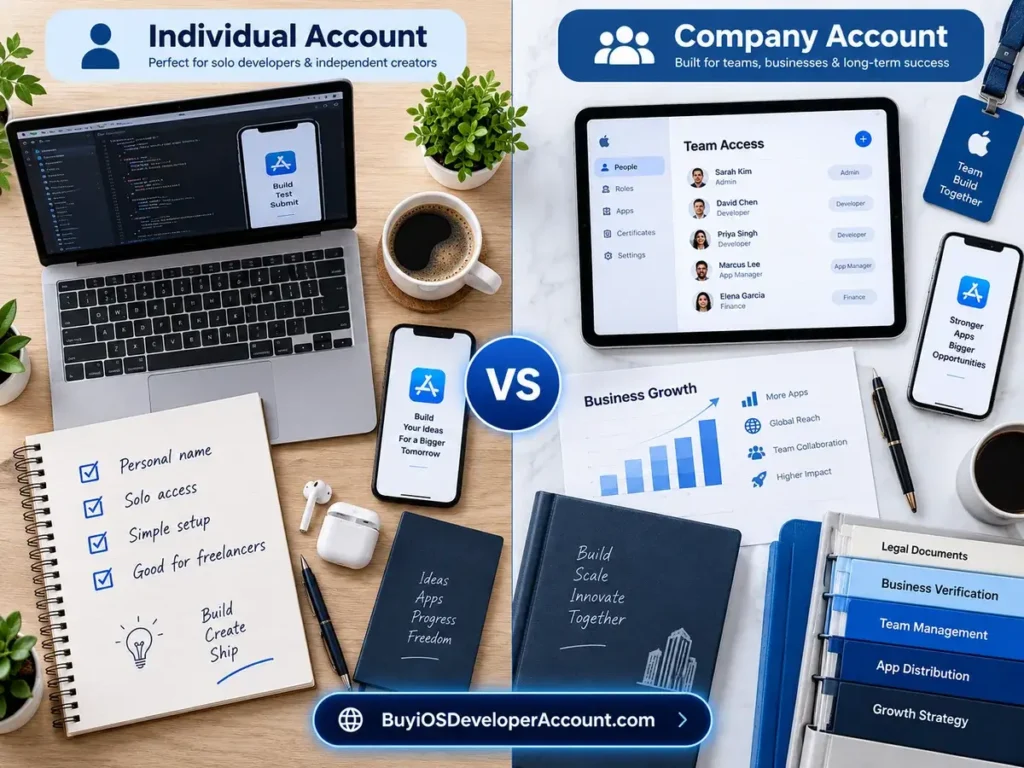
For account-related requests, the official Apple Developer Program membership fee is generally US$99 per membership year, with regional payment and local-currency conditions. This is not the same as the fees of any third-party consulting or account service. For reference, BuyiOSDeveloperAccount.com publishes separate Personal ($350), Company ($850) and Combo ($1,150) package prices; these are the site’s advertised offers, not Apple’s membership prices, and the exact services, ownership and policy compliance must be evaluated independently.
Step-by-step guide: eight checkpoints
Step 1: Verify the correct enrollment identity
Confirm you used the Apple Account and legal personal or organization information intended for the eventual Account Holder. Begin with the evidence you already control, and keep the original record available for comparison.
For an individual publisher, that usually means comparing the displayed status to the Apple Help instructions and saving a short note. For a company, it also means confirming the affected legal team and the person who can approve the decision.
Step 2: Check organization evidence
A legal entity name, D-U-N-S record when required, business website, domain-based work email and representative authority can influence organization verification. Treat this as a decision point rather than an isolated button to press.
Where possible, try the smallest reversible change first. Record the previous setting, change one variable, and check the result. That approach makes it easier to explain a failure to a colleague or Apple Developer Support.
Step 3: Look for Apple follow-up messages
Review email inbox and spam for identity, legal-authority or organization-verification requests and answer only through verified Apple channels. Use the official screen to separate a genuine platform restriction from a setup mistake.
A missing menu may mean the signed-in user lacks a role, the item is in the wrong status, or a prerequisite is incomplete. Test those possibilities before creating duplicate records or asking anyone to share their password.
Step 4: Separate review from payment
Organizations typically complete verification before purchasing membership; an enrollment still under review is not necessarily a failed charge. Document the expected result before changing a setting that can affect collaborators.
Write down the exact team, application and environment. A test build and a production release can behave differently, and an action taken under the wrong team can waste time even when the interface accepts it.
Step 5: Compare business record consistency
Review spelling, address, legal suffix and other details against D&B and official corporate records before asking Apple to review mismatches. Check both the immediate task and anything that depends on the result.
An apparently successful save may still need processing, review, a fresh build or acceptance of a commercial agreement. Check the downstream result instead of relying on the first green confirmation.
Step 6: Use the official status page
Sign in on the developer website with the enrolling Apple Account to review status, rather than trusting third-party status screenshots. If the issue spans multiple teams, name one owner to coordinate the change.
Project handovers are especially vulnerable to ambiguity. Keep the Account Holder responsible for legal obligations while delegated staff perform technical work within their named App Store Connect roles.
Step 7: Escalate with an Enrollment ID
If you have completed payment and no confirmation arrives within Apple’s stated post-purchase window, contact Developer Support and include the relevant ID. Before escalating, try a controlled verification that does not expose private information.
Support requests work better with a reproducible sequence, an exact status, dates and relevant IDs. Mask personal or financial data and never send a two-factor code, Apple Account password or private certificate key.
Step 8: Avoid duplicate applications
Submitting multiple inconsistent enrollments can complicate clarification; document the original application and seek support guidance first. Finish the process by checking the effect on the real app or membership.
A final validation should be reproducible by someone who was not present during setup. State what changed, where it can be checked, what still depends on Apple and the next planned review date.
A real-world decision example
Consider a small app business researching apple developer account enrollment pending during a busy release cycle. The team has an Account Holder, one developer, a marketing specialist and a contractor. One employee notices a problem and proposes a quick fix based on a forum message. A stronger approach is to establish the actual state of the membership or app, verify which role owns the decision, read the relevant official help page and identify a testable next step. The contractor should only receive the permission necessary for the task. The Account Holder should retain control of sensitive agreements and recovery credentials.
The team then takes one documented action, confirms the outcome in App Store Connect or the developer account and records any pending requirement. If another approval is necessary, the release plan is updated instead of promising a fixed timeline. This method applies to independent publishers too: a one-person workflow still benefits from careful checks, secure backups and clear notes.
Essential review checkpoints
- Identify the official screen or document that proves this item was completed.
- Confirm the person taking the action has the correct role and legitimate authority.
- Keep a dated record of the selected settings and why they were chosen.
- Test the resulting app or membership behavior before announcing completion.
- Prepare a rollback or support escalation route if the outcome differs from expectations.
- Make sure marketing statements match the product and Apple’s published requirements.
- Remove unnecessary account access and rotate any exposed secrets.
- Schedule a later review if the change affects renewals, billing or app updates.
How to check results without assumptions
A successful click is not the same as a completed workflow. Check the resulting status, relevant emails, permissions, working builds and user-facing behavior where applicable. Record the date, the authorized operator, the screen or report checked and anything left unresolved. For payments, contracts and customer data, confirmation must come from the correct official system.
For apple developer account enrollment pending, this means treating “verify the correct enrollment identity” as a verified workflow with a real owner and a defined outcome. Keep the relevant separate review from payment decision visible to everyone who may be affected. If you discover that the supporting account, role or agreement is different from what was originally expected, correct that dependency before you continue.
What to do if an official screen looks different
Apple changes interfaces, terminology and requirements over time. Use the title of the current Apple Help article, the context of your account role and the exact page you can access instead of following screenshots from an old tutorial word for word. If an option is absent, first verify authorization, platform eligibility and the current status of the underlying app or membership before trying a workaround.
For apple developer account enrollment pending, this means treating “check organization evidence” as a verified workflow with a real owner and a defined outcome. Keep the relevant compare business record consistency decision visible to everyone who may be affected. If you discover that the supporting account, role or agreement is different from what was originally expected, correct that dependency before you continue.
What a successful outcome looks like
The right outcome is a documented, reproducible result owned by the correct person or organization. For example, a signed-off release, a valid app record, a confirmed renewal, an accurate user permission or a trustworthy reporting baseline is much more useful than a vague statement that the setup is complete. State the result in operational language so another team member can independently verify it.
Three details that are easy to overlook
Different teams can complete the same visible action yet reach different results because their prerequisites are different. Use the following points to check whether the workflow actually fits the reader’s case:
Check organization evidence
A legal entity name, D-U-N-S record when required, business website, domain-based work email and representative authority can influence organization verification. This is worth reviewing before closing the task: compare the official record, any app-level dependency and the responsible user role. Write down the evidence that would prove success instead of assuming that the original problem has disappeared.
Compare business record consistency
Review spelling, address, legal suffix and other details against D&B and official corporate records before asking Apple to review mismatches. This is worth reviewing before closing the task: compare the official record, any app-level dependency and the responsible user role. Write down the evidence that would prove success instead of assuming that the original problem has disappeared.
Escalate with an Enrollment ID
If you have completed payment and no confirmation arrives within Apple’s stated post-purchase window, contact Developer Support and include the relevant ID. This is worth reviewing before closing the task: compare the official record, any app-level dependency and the responsible user role. Write down the evidence that would prove success instead of assuming that the original problem has disappeared.
Frequently asked questions
How should I handle verify the correct enrollment identity?
Confirm you used the Apple Account and legal personal or organization information intended for the eventual Account Holder. The safe approach is to follow the relevant Apple documentation, use authorized account access and verify the result before taking further action. If the requirement differs by location, membership type or current status, treat the live official account as authoritative.
How should I handle check organization evidence?
A legal entity name, D-U-N-S record when required, business website, domain-based work email and representative authority can influence organization verification. The safe approach is to follow the relevant Apple documentation, use authorized account access and verify the result before taking further action. If the requirement differs by location, membership type or current status, treat the live official account as authoritative.
How should I handle look for apple follow-up messages?
Review email inbox and spam for identity, legal-authority or organization-verification requests and answer only through verified Apple channels. The safe approach is to follow the relevant Apple documentation, use authorized account access and verify the result before taking further action. If the requirement differs by location, membership type or current status, treat the live official account as authoritative.
How should I handle compare business record consistency?
Review spelling, address, legal suffix and other details against D&B and official corporate records before asking Apple to review mismatches. The safe approach is to follow the relevant Apple documentation, use authorized account access and verify the result before taking further action. If the requirement differs by location, membership type or current status, treat the live official account as authoritative.
How should I handle use the official status page?
Sign in on the developer website with the enrolling Apple Account to review status, rather than trusting third-party status screenshots. The safe approach is to follow the relevant Apple documentation, use authorized account access and verify the result before taking further action. If the requirement differs by location, membership type or current status, treat the live official account as authoritative.
How should I handle avoid duplicate applications?
Submitting multiple inconsistent enrollments can complicate clarification; document the original application and seek support guidance first. The safe approach is to follow the relevant Apple documentation, use authorized account access and verify the result before taking further action. If the requirement differs by location, membership type or current status, treat the live official account as authoritative.
Can a third-party setup service guarantee the result?
No. Apple controls membership verification, platform access and App Review. A consultant may explain a documented workflow, but cannot legitimately guarantee an Apple decision or substitute for the lawful Account Holder.
Is this the same as buying somebody else’s developer account?
No. Enrollment, app management permissions and eligible app transfers are distinct from transferring another person’s Apple Account credentials. Review Apple’s Developer Program License Agreement and keep the proper owner in control.
Official Apple resources
- Topic-specific Apple documentation
- Apple Developer Program enrollment and payment
- App Store Connect documentation
- Apple Developer Program License Agreement
Final thoughts and next steps
The best way to approach apple developer account enrollment pending is to combine Apple’s current documentation with a secure and understandable workflow. Start from the account or app’s real status, apply each checkpoint deliberately and verify results before introducing a broader change. This reduces preventable mistakes and helps developers, founders and agencies make decisions that remain manageable when a team grows or a release is delayed.
If you are comparing third-party assistance, review the developer account information and support options and the published package details. Request a clear explanation of who legally owns the membership and what service is provided; never treat purchased credentials alone as an Apple-approved ownership transfer. The official documentation linked above should remain the source for membership eligibility, pricing, permissions and review decisions.