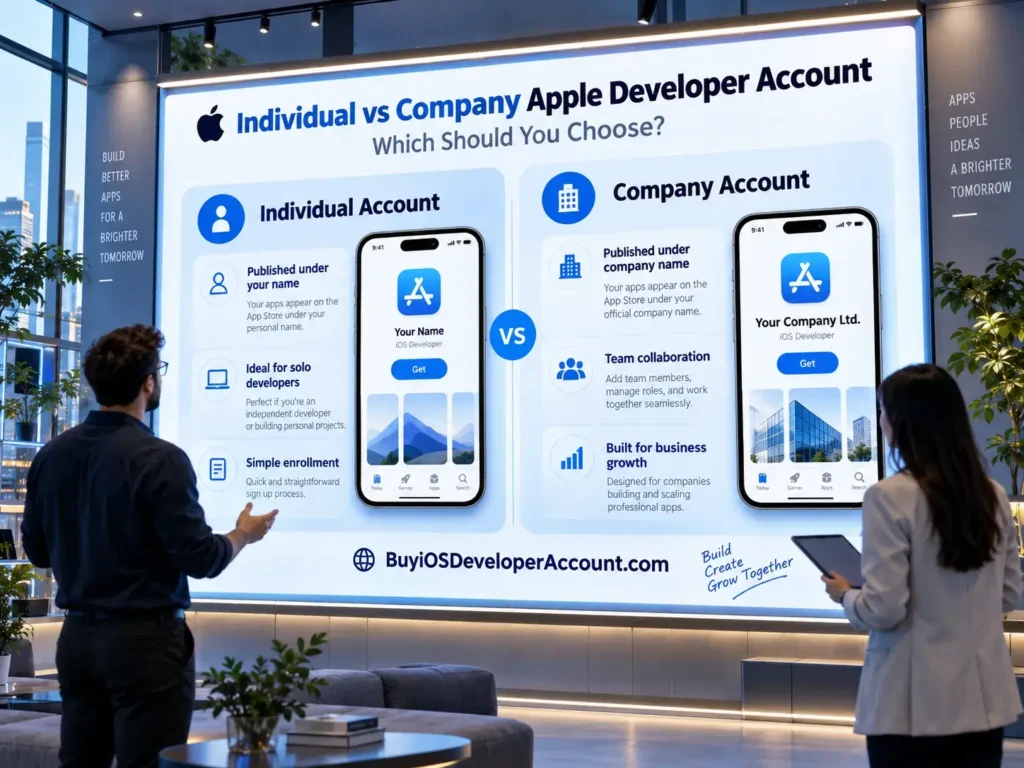
Individual vs Company Apple Developer Account: Which Should You Choose?
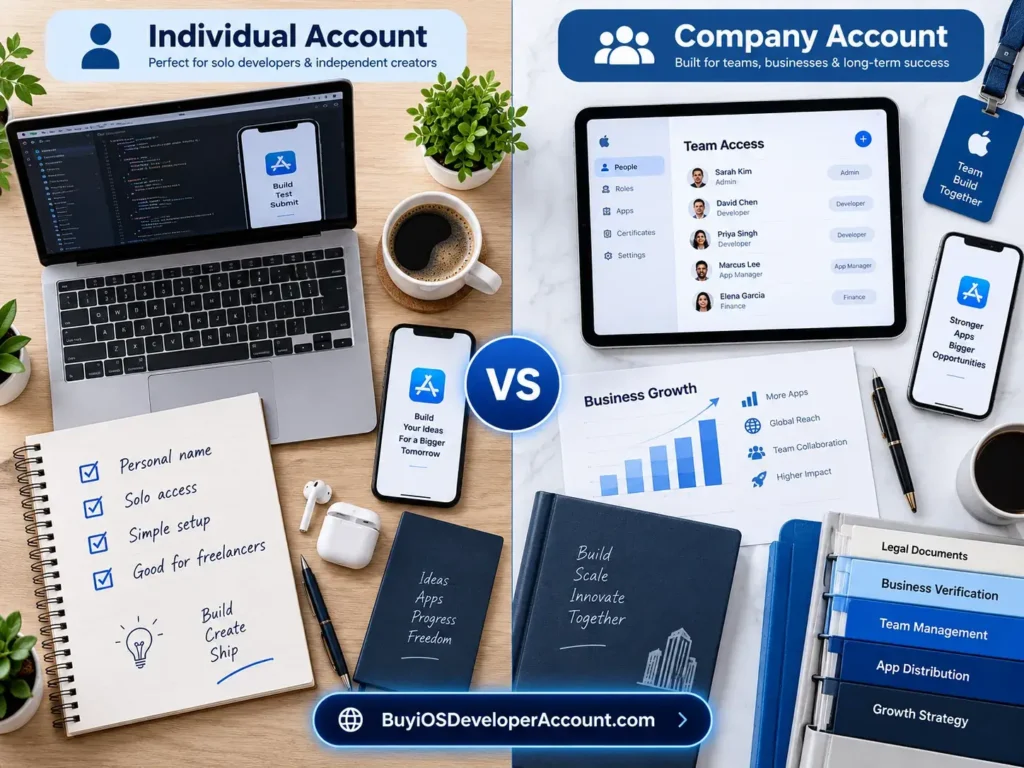
Choosing between an Individual vs Company Apple Developer Account is one of the earliest decisions an iOS app publisher must make. Both membership types can provide access to the Apple Developer Program and App Store distribution, but they differ in the legal identity displayed on the App Store, organizational verification, membership-team privileges, and long-term account management.
For a solo creator, enrolling as an individual may be the natural route. For a registered startup or established business, an organization membership may be a better fit. However, a company membership is not a shortcut to App Store approval, and an individual membership is not automatically unsuitable for professional projects. The correct choice depends on who should legally publish the app and how the publishing team will operate.
This practical 2026 guide explains the real differences, compares Apple’s official annual fee with services advertised by BuyiOSDeveloperAccount.com, and helps you decide what to check before paying for any third-party assistance.
Quick answer: Choose Individual if you are publishing as a person or eligible sole proprietor and want your personal legal name shown as the App Store seller. Choose Organization (Company) if your registered legal entity should be the seller and you need full Apple Developer team membership for authorized employees and collaborators. Apple’s standard Developer Program membership is generally US$99 per membership year for either option; third-party packages are separate commercial offers. See Apple’s program details.
What Is an Apple Developer Account?
An Apple Account is your sign-in identity. Apple Developer Program membership is a separate enrollment that unlocks additional distribution-related tools and services. Developers commonly use the phrase Apple Developer Account to refer to the paid membership and its associated App Store Connect access.
With an eligible membership, you can prepare app records, upload builds, invite TestFlight testers, manage releases, review sales and analytics data, and distribute approved apps. App Store Connect provides many of the publishing workflows, while Xcode and the Apple Developer website support development and related technical tasks.
Some development and device testing can be done with a free Apple Account. Public App Store distribution normally requires paid program membership and an app that meets Apple’s review rules. Membership does not guarantee app approval: Apple reviews software separately, and the Account Holder must maintain compliance with the relevant agreements.
The main enrollment categories for normal App Store distribution are Individual and Organization. Many sellers call the latter a Company Apple Developer Account, although Organization is Apple’s official term. These are categories of the same Apple Developer Program, not two different official annual-price tiers.
Individual vs Company Apple Developer Account: Comparison Table
| Decision factor | Individual membership | Organization (Company) membership |
|---|---|---|
| App Store seller name | Your personal legal name | Registered legal entity name |
| Who applies | An individual or eligible sole proprietor | Authorized representative of a qualifying legal entity |
| Official annual program fee | Usually US$99, local pricing may vary | Usually US$99, local pricing may vary |
| Identity requirements | Accurate personal details and applicable identity checks | Business verification, legal authority and usually D-U-N-S |
| App Store Connect collaborators | Up to 50 additional App Store Connect users under Apple’s current guidance | Organization team users with broader membership-resource access |
| Apple Developer team membership for invitees | No; added App Store Connect users are not program-team members | Yes, invited organization members can receive applicable program-resource access |
| Good fit | Independent publishing under a person’s name | Publishing owned by a registered business |
| Best reason to choose | Personal legal ownership | Business legal ownership and structured team workflow |
Important nuance: It is incorrect to say that individual accounts cannot add any users. Apple allows individual memberships to grant up to 50 additional users access to App Store Connect, but those users do not become Apple Developer Program team members and do not receive other membership benefits. Organization teams have a different access model. See Apple’s user-management documentation.
What Is an Individual Apple Developer Account?
An individual membership is intended for a person who wants to enroll under their own legal identity. Apple also directs sole proprietors and eligible single-person businesses toward individual enrollment, meaning that a commercial project does not automatically require the organization route.
The critical detail is the seller name. Apps published through an individual membership generally show the person’s legal name on the App Store. If your studio is a trade name but not an eligible separate legal entity, using that trade name as the individual applicant’s first or last name is not an acceptable substitute.
An individual membership can work well for an independent game creator, a consultant releasing an original utility app, a student preparing a first commercial product, or a founder experimenting before formal business incorporation. It offers the same core access to public app publishing, subject to membership status, app reviews and Apple’s rules.
Individual membership: key advantages
Clear personal ownership. The person who enrolled is the Account Holder and remains responsible for agreements and renewals. There is less ambiguity about which person is the seller.
Fewer organization-specific documents. A qualifying individual normally does not need a company D-U-N-S Number or proof of authority to bind an employer. Apple may still require identity verification, and account details must remain accurate.
Appropriate for independent projects. A personal publishing identity is often exactly what an indie developer wants. A professional app does not need an organization seller name to be useful or credible.
Collaboration is still possible. You can give others limited App Store Connect access using Apple’s Users and Access tools; just understand that those invitees are not full program-team members.
Limitations to plan around
Your legal name is the visible seller identity. If you later establish a company and want that company’s name to appear, changing the membership category is a process that requires Apple’s involvement; merely changing a display name will not do it.
Individual account holders also need to think carefully about continuity. If a freelance client should legally own an app, the client should normally establish the appropriate membership rather than rely indefinitely on the freelancer’s personal membership.
What Is a Company Apple Developer Account?
A company, or Organization Apple Developer Account, is enrollment under a qualifying legal entity. The organization is the App Store seller, while an authorized person acts as the Account Holder and accepts agreements on its behalf.
Apple’s enrollment requirements ordinarily include an established legal entity, a D-U-N-S Number (subject to applicable exceptions), authority to sign legal agreements, a work email associated with the organization’s domain, and a public functional website linked to that organization. These are verification requirements, not optional cosmetic steps. Read the official organization enrollment requirements.
This approach is suitable for a registered startup publishing under its business name, a software company releasing several products, or an agency publishing its own apps. Agencies developing apps on behalf of clients should usually help the client organization enroll as the seller instead of placing the client’s app under the agency’s membership.
Organization membership: key advantages
Business seller identity. Your eligible entity’s legal name appears as the seller, which can support consistent company branding across your website, invoices, customer support and app listings.
Full developer-team model. Organization users may be added to the team’s Apple Developer Program resources, not just given App Store Connect-only access. Permissions still depend on the assigned roles and applicable resources.
A clearer structure for larger teams. A company can assign development, app management, finance, marketing, and support responsibilities to appropriate users while reserving Account Holder duties for an authorized person.
Better alignment with legal ownership. If the company owns the intellectual property, contracts with partners, and receives app revenues, company enrollment can better reflect that real-world setup.
Organization membership: things that require extra planning
Apple may need to verify the legal entity and the applicant’s authority. Business records, websites, addresses, and domain-related email details should be consistent. A startup that has not formed a recognized legal entity cannot assume it qualifies simply because it has a product name or logo.
Be prepared for additional verification time. Third-party services cannot legitimately guarantee that Apple will accept a legal entity or approve enrollment without checking the information Apple requires.
Difference #1: Whose Name Appears on the App Store?
Seller identity is often the deciding factor in the Individual vs Company Apple Developer Account comparison.
With an individual membership, Apple generally displays the developer’s personal legal name as the seller. With an organization membership, Apple displays the registered legal entity name. The product’s marketing name and the seller’s legal name are different things. You may name the app after a product brand, but the seller identity must reflect the enrollment type.
Imagine an independent fitness coach who wants to publish a personal training app. Showing the coach’s legal name may be entirely appropriate. By contrast, a registered health-software company with customer contracts and a support department may prefer its corporate entity to be the App Store seller.
Neither choice guarantees higher downloads. Users judge apps on quality, relevance, reviews, privacy, presentation, and support, among other factors. Select the seller identity that truthfully represents the party responsible for the product.
Difference #2: Who Qualifies for Each Membership?
Individuals must enroll using accurate personal details. Apple’s enrollment help states that individuals and eligible sole proprietors should use their personal legal name, not an alias or trading name substituted for a legal name.
Organizations must be legal entities able to contract with Apple. A website, brand name or unregistered side project alone is not sufficient. The enrolling person must be the owner, founder, authorized executive, qualified senior project lead, or someone given appropriate signing authority.
If a company has only just been formed, allow time for its records to become available and consistent. Business identity mismatches are a common reason that verification requires extra follow-up.
Difference #3: What Are the D-U-N-S and Verification Requirements?
A D-U-N-S Number is a nine-digit identifier issued by Dun & Bradstreet and used in Apple’s organization verification process. It helps Apple verify the organization and legal entity details; it is not itself a developer membership.
For organization applicants, Apple typically asks for the number, legal name, address and information showing who is authorized to enroll. Government organizations have an exception to the D-U-N-S requirement. Apple notes that requesting a D-U-N-S Number is free in most jurisdictions.
An individual applicant generally does not need an organization D-U-N-S Number. That does not mean identity checks are optional: Apple may request identity or account verification depending on the enrollment path and region.
Practical checklist for organizations: confirm the legal entity name, check the D-U-N-S record, use an organizational work email, maintain a functioning company website, and identify the person permitted to accept Apple’s agreements.
Difference #4: Team Access and Collaboration
A frequent SEO claim is that an Individual Apple Developer Account supports only one user. That is misleading. Apple’s App Store Connect help explains that individuals can grant up to 50 additional users access to their App Store Connect content. Those people are not members of the paid developer-program team and do not receive other program benefits.
Organizations can invite full team members and use role-based controls within the wider Apple Developer ecosystem. This can matter when engineers need certificates and provisioning-related resources, while product managers require release tools and finance staff need reporting access.
For both types, the Account Holder has responsibilities that should not be casually shared. Apple lists only one Account Holder per team, and that person handles tasks such as accepting legal agreements and renewing the membership.
The practical question is not merely: How many people work here? It is: Which resources and legal responsibilities must each person have? If a small team only needs App Store Connect content access, an individual account may meet some collaboration needs. If multiple authorized members need full program-team resources, organization enrollment is designed for that structure.
Difference #5: Official Apple Developer Account Pricing in 2026
For standard App Store distribution, Apple’s official Apple Developer Program fee is generally US$99 per membership year, or the local-currency equivalent where available. This applies to enrollment as an individual or as an organization; selecting organization status does not by itself create a higher official membership tier. Apple publishes the current fee on its program overview and enrollment help.
The Apple Developer Enterprise Program is different. It addresses certain private internal-distribution needs and has separate eligibility and pricing. It should not be confused with the normal organization membership used for public App Store apps.
Some qualifying nonprofits, educational institutions and government organizations may be eligible for an annual membership fee waiver, subject to Apple’s rules. Always check the applicable Apple information for your location before calculating the final cost.
BuyiOSDeveloperAccount.com package prices
On the BuyiOSDeveloperAccount.com Packages page, three commercial offers are currently advertised:
| Advertised service package | Listed price | Intended comparison |
|---|---|---|
| Personal Account | $350 | Personal-oriented account offer |
| Company Account | $850 | Business-oriented account offer |
| Combo Package | $1,150 | Combined personal and company offer |
The listed Combo Package price is $50 lower than the sum of the two separate package prices ($350 + $850 = $1,200). These are the website’s advertised third-party package prices, not fees established by Apple. The website also advertises specific delivery, credentials, support, and ownership claims. Anyone comparing packages should request a precise written explanation of the deliverables and verify compliance with Apple’s current agreements before ordering.
In particular, the official Apple Developer Program has restrictions on unauthorized selling, reselling, sharing, or transferring of membership access. A package advertised as providing login credentials for an existing account is not equivalent to enrolling in your own name or your company’s legal identity. A third-party price does not prove Apple approval, legitimate account ownership, or guaranteed publishing access.
When comparing costs, separate (1) the official membership fee, (2) any optional professional service fees, (3) possible business formation or documentation expenses, and (4) future renewal and app-maintenance costs.
Difference #6: App Management, TestFlight and Publishing
Both properly enrolled membership types can support the normal App Store publishing cycle. After setting up App Store Connect, authorized users can create an app record, prepare metadata, upload builds, configure TestFlight testing, respond to review feedback and release approved updates.
Your account type does not replace Apple’s App Review process. An organization name does not guarantee app acceptance, and an individual developer does not automatically receive fewer publishing capabilities. Apple may reject software that violates its guidelines regardless of the developer’s membership category.
Plan separately for certificates, app identifiers, privacy disclosures, screenshots, localization, paid-app agreements, and customer support. These operational tasks often affect launch timelines more than the difference between the two membership labels.
Difference #7: Security, Ownership and Long-Term Control
The real owner of a membership is not determined simply by who has a password. Apple associates membership with the individual applicant or the verified legal organization. The Account Holder controls important agreements and membership actions.
Avoid buying or sharing unrelated third-party credentials as a substitute for proper enrollment. If you hire a consultant, set out the consultant’s duties in writing and use Apple’s authorized role-based access wherever possible. Keep two-factor authentication, trusted devices, recovery methods and contact details with the authorized account owner.
For a business, account continuity becomes especially important when employees change roles. Keep company contact information current, assign appropriate access, and follow Apple’s documented process for Account Holder changes. For an individual, keep accurate recovery information and understand that account-holder transfers are limited by Apple’s rules.
Treat any advertisement promising instant ownership transfer, permanent access or guaranteed approval as a claim requiring independent verification, not as an official Apple entitlement.
Can You Change an Individual Apple Developer Account to a Company Account?
Apple provides a process for requesting a change from individual to organization membership, subject to eligibility and verification. According to Apple’s account-information guidance, the applicant needs to be a founder or cofounder of the organization, provide the organization’s D-U-N-S Number, and potentially submit supporting business documents.
This is not as simple as editing a profile name. Apple’s review matters because the party entering into agreements changes from a person to a legal entity.
If you are very likely to incorporate soon and want your corporate seller identity from launch day, consider whether waiting for the correct legal setup would save future administrative work. If you need to publish now under your own legal name, individual enrollment can still be legitimate, provided you understand the later transition process.
What If You Are an Agency Building an App for a Client?
Agencies often make account decisions based on convenience instead of ownership. That can become a problem when the client needs to manage app updates, change service providers or demonstrate control of the product.
Apple’s enrollment guidance says that when a contract developer builds apps on behalf of an organization, the organization should enroll, and it can then add the developer to its team. This creates a clearer distinction between the client as publisher and the agency as technical service provider.
An agency may use its own organization account for apps it owns and publishes. But a client’s app should not automatically be published under the agency’s name merely because the agency builds the code. Agree on ownership, roles, contracts, and release responsibilities before work starts.
Which Account Should Startups Choose?
For a newly registered startup with a real legal entity, an organization membership is often the best match because the company may own the code, sign customer contracts, receive app revenue, and hire multiple developers. The seller name also aligns with the corporate identity.
If you have only an idea, no incorporated legal entity, and a solo proof of concept, an individual account may be more appropriate initially. You could also build and test in Xcode before committing to a paid public-distribution workflow.
Ask who should own the app at launch and who will control its future. Planning for fundraising, hiring, and a future acquisition can make this question important even when the first version is very small.
Which Account Should Freelancers and Solo Developers Choose?
A solo developer releasing personal utilities, games, creative tools or educational apps can reasonably choose an individual membership. The decisive factor is comfort with personal legal-name attribution on the App Store and the fact that they are the actual publishing party.
A freelancer running an incorporated software business may qualify for organization enrollment. If they mainly build client apps, however, client-owned memberships are often a better arrangement than relying on the freelancer’s own account, regardless of whether the freelancer operates as an individual or through a company.
Do not buy a company package simply because it sounds more professional. Check whether you have the legal entity to support organization enrollment and whether the seller identity matches the product’s ownership.
Which Account Is Better for SaaS Products and App Businesses?
A SaaS provider that has formed a legal company may prefer organization enrollment because its app, subscription business, payment relationships, and support operations belong to the company. The organization model also supports employees who work on releases and user support.
For an early-stage one-person SaaS project, individual enrollment can remain a viable option if the person is the legitimate publisher. Think beyond day-one convenience: consider the legal seller displayed on receipts, who can manage future versions, and whether clients expect the app to come from a registered business.
Brand credibility should come from transparent ownership and a reliable product, not from acquiring a stranger’s developer account or using company information you do not control.
Six Common Mistakes When Comparing Individual and Company Accounts
Mistake 1: Assuming company membership costs more directly from Apple
The standard official annual membership fee is generally the same for both categories. Higher third-party package prices should be evaluated as separate service offers, not a difference in Apple’s normal membership rate.
Mistake 2: Believing an individual account cannot invite collaborators
Individual Account Holders may add up to 50 App Store Connect users under Apple’s current guidance. Those invitees have a narrower type of access than members of an organization team.
Mistake 3: Selecting company status without a legal entity
Apple verifies organization identity and authority. A logo, trading name or newly purchased email inbox does not establish a qualifying legal organization.
Mistake 4: Confusing account credentials with legal ownership
Knowing a password does not make you the valid Account Holder. Credential resale and unauthorized access create risks. Always use legitimate enrollment and Apple-approved account-management processes.
Mistake 5: Forgetting who should own a client’s app
Contract developers should plan for client-owned enrollment and appropriate team invitations. This reduces handover complications if the relationship ends.
Mistake 6: Treating account type as an App Store approval guarantee
Both account types are subject to Apple’s app review and program agreements. Approval depends on the submitted app and relevant requirements, not on buying a particular package.
Decision Checklist: Individual or Organization?
Use these questions before you enroll or pay for a support package:
- Who is the legal publisher? Me personally, or a registered organization?
- What seller name should appear? My legal name, or my organization’s legal name?
- Do I have valid organization records? Legal entity, D-U-N-S Number if required, corporate website, and work email?
- What access do collaborators need? App Store Connect tasks only, or wider Apple Developer Program team resources?
- Who accepts Apple’s agreements and renews membership? Identify the true Account Holder.
- How will future updates be handled? Set up reliable access and recovery before launch.
- Am I buying assistance or someone else’s credentials? These carry very different rights and risks.
- Have I separated Apple’s fee from third-party fees? Ask for an itemized quote and renewal explanation.
If most of your answers point to personal legal ownership and relatively simple collaboration, start by evaluating Individual. If the business is the actual publisher and has the required legal status, explore Organization.
How to Get Started With the Correct Membership
Step 1: Identify your legal publishing identity
Decide who should enter into Apple’s agreements. This choice determines the enrollment category and seller name.
Step 2: Check Apple’s eligibility information
Read the official program enrollment guidance. Do not assume a third-party sales page replaces Apple’s eligibility requirements.
Step 3: Prepare the right documents
For individual enrollment, confirm your personal legal details and secure your Apple Account. For organization enrollment, confirm the entity name, D-U-N-S Number where needed, work email, website, and signing authority.
Step 4: Complete enrollment using an account you control
Keep the correct Account Holder in charge of trusted devices, two-factor authentication and required agreements. Use the Apple Developer website or an eligible Apple Developer app enrollment flow.
Step 5: Set up App Store Connect roles
Invite only the people who need access and give them suitable roles. Remember that individual App Store Connect users have different membership privileges than organization team members.
Step 6: Prepare the app for review
Test app behavior, finish listing content, verify privacy and policy requirements, and submit when ready. Both individual and organization apps go through Apple’s applicable review process.
How BuyiOSDeveloperAccount.com Can Fit Into Your Research
If you are comparing third-party offerings, BuyiOSDeveloperAccount.com lists a $350 Personal Account, $850 Company Account, and $1,150 Combo Package. These prices can help you identify a potential service budget, but they should not be mistaken for Apple’s standard membership fee or a promise of Apple’s authorization.
Before purchasing, ask the provider exactly what is included, whether any listed delivery or ownership claims depend on transferring unrelated credentials, whether the correct legal person or entity will be the Account Holder, and what support remains available after initial setup. Compare the answers with Apple’s developer-program agreements.
For more detail, see the published package descriptions. If the scope is unclear, ask for a written clarification rather than making assumptions about verification, instant delivery, app approval or long-term control.
Frequently Asked Questions
Is an Individual Apple Developer Account cheaper than a Company account?
Apple’s standard Developer Program annual membership fee is generally US$99 for either membership category, with local-currency or regional differences possible. Third-party support or account offers may have separate prices.
Can an individual developer publish paid apps on the App Store?
Yes, subject to the Apple Developer Program, applicable paid-app agreements, tax and banking setup, and Apple’s review requirements. Public distribution is not reserved for registered companies.
Can an Individual Apple Developer Account add team members?
An individual can grant up to 50 additional users App Store Connect access under Apple’s published rules. Those invitees are not full Apple Developer Program team members and do not receive other membership benefits.
Does a Company Apple Developer Account need a D-U-N-S Number?
Organizations generally need a D-U-N-S Number for Apple’s verification process, subject to exceptions such as government organizations. A number alone does not replace legal-entity and authorization requirements.
Will my company name appear on the App Store with an Individual membership?
Not merely because you use a brand name. An individual membership generally displays the person’s legal name. A recognized organization membership is required for the organization’s legal entity name to appear as the seller.
Can I switch from Individual to Organization later?
Apple offers a request process for eligible founder/cofounder Account Holders, including business verification and a D-U-N-S Number. Approval is not automatic, and changing your Apple Account’s display name is not an account-type conversion.
Does a Company membership guarantee approval of my app?
No. Individual and organization apps must follow Apple’s review guidelines, program agreements and technical requirements. Publishing approval is a separate decision.
What is the difference between Apple’s $99 fee and a $350 or $850 package?
The $99 is Apple’s standard annual developer membership fee. The $350 Personal and $850 Company figures are separate advertised prices on BuyiOSDeveloperAccount.com. Verify what those offers actually include and whether the process is permitted by Apple.
Should a freelancer publish a customer’s app under the freelancer’s account?
When an agency or freelancer is hired to build an app owned by an organization, Apple’s enrollment guidance recommends that the client organization enroll and invite the contractor with appropriate permissions. This better aligns seller identity and ownership.
Which option should I choose if I plan to grow into a company?
If your qualifying legal entity already exists and should own the app, organization enrollment often provides a better fit. If you are currently a legitimate solo publisher, an individual membership may be appropriate while you evaluate incorporation and Apple’s later conversion process.
Final Verdict: Choose the Membership That Matches the Real Owner
The best answer to Individual vs Company Apple Developer Account: Which Should You Choose? is the option that represents the person or business legally responsible for the app.
Choose Individual when the app is yours personally, you are a solo or eligible sole-proprietor publisher, and your legal name is an acceptable App Store seller identity. Choose Organization when a qualifying legal entity owns the app, should appear as the seller, and needs broader development-team membership and long-term business management.
If you are comparing professional assistance, verify the precise services and long-term ownership arrangements—not just the advertised speed or price. Use Apple’s documentation as the final authority on enrollment, membership and access. The right setup is one that stays secure, understandable and workable after the first app launch.
Explore the options: Review the Personal, Company and Combo packages and request clarification about deliverables and Apple-compliant enrollment before making a purchasing decision.